
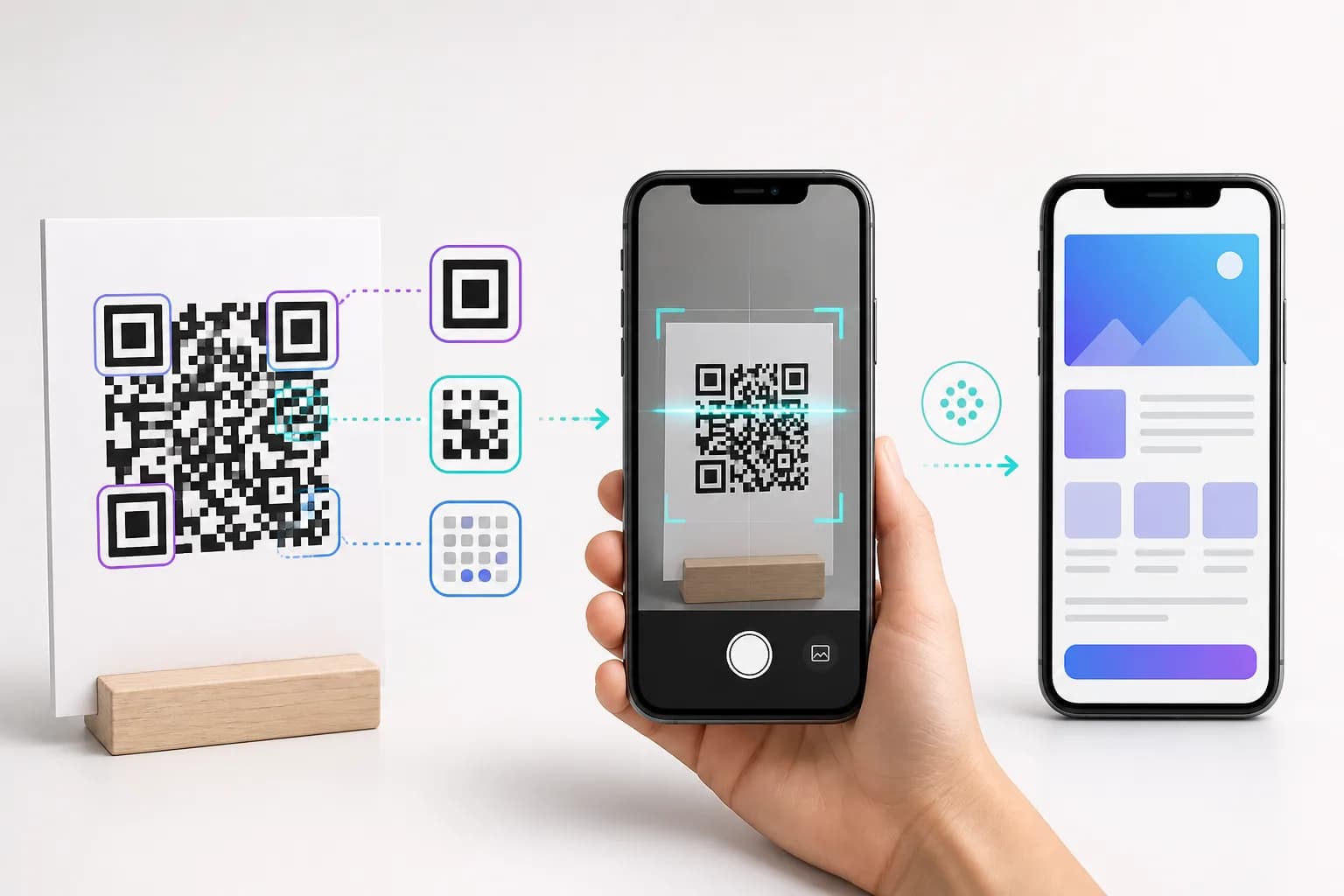
The square pattern appears on menus, tickets, packaging, business cards, and sign-in screens, but what is a QR code actually doing? In simple terms, it is a machine-readable way to carry a small amount of data between an object or screen and a device. Your phone photographs the pattern, decodes its modules, and offers the action stored inside—often opening a web address.
This guide explains the structure without burying you in mathematics. It also covers static and dynamic workflows, practical limitations, and the choices that matter when you create one. If you already know what you want to share, the CraftMyQR generator lets you turn URL, text, Wi-Fi, contact, email, phone, SMS, or location data into a downloadable code.
What Is a QR Code? The Short Answer
A QR code is a 2D barcode made from small light and dark squares called modules. “QR” refers to Quick Response, a name chosen to emphasize fast reading. Unlike a traditional retail barcode, which varies vertical bars along one axis, a QR symbol arranges information across height and width.
The pattern can encode numbers, letters, bytes, and other structured data. A scanner may interpret that data as plain text, a URL, Wi-Fi credentials, a contact card, a phone number, an email action, or another supported instruction. The code does not automatically become a webpage or an image; it carries either the content itself or a link to content hosted elsewhere.
That distinction answers what is a QR code in practical terms: a data container, not a tiny cloud drive. Large files, videos, and documents normally live online, while the symbol stores a URL that leads to them.
What Do the Parts of a QR Code Do?
A QR code may look random, but different areas perform specific jobs. Understanding these parts makes it easier to see why cropping, stretching, or decorating a code can stop it from scanning.
Data modules
Most small squares belong to encoded data and recovery information. Their arrangement changes with the payload, encoding mode, version, error correction, and mask. Two valid generators can therefore create different patterns that decode to the same value.
Finder patterns
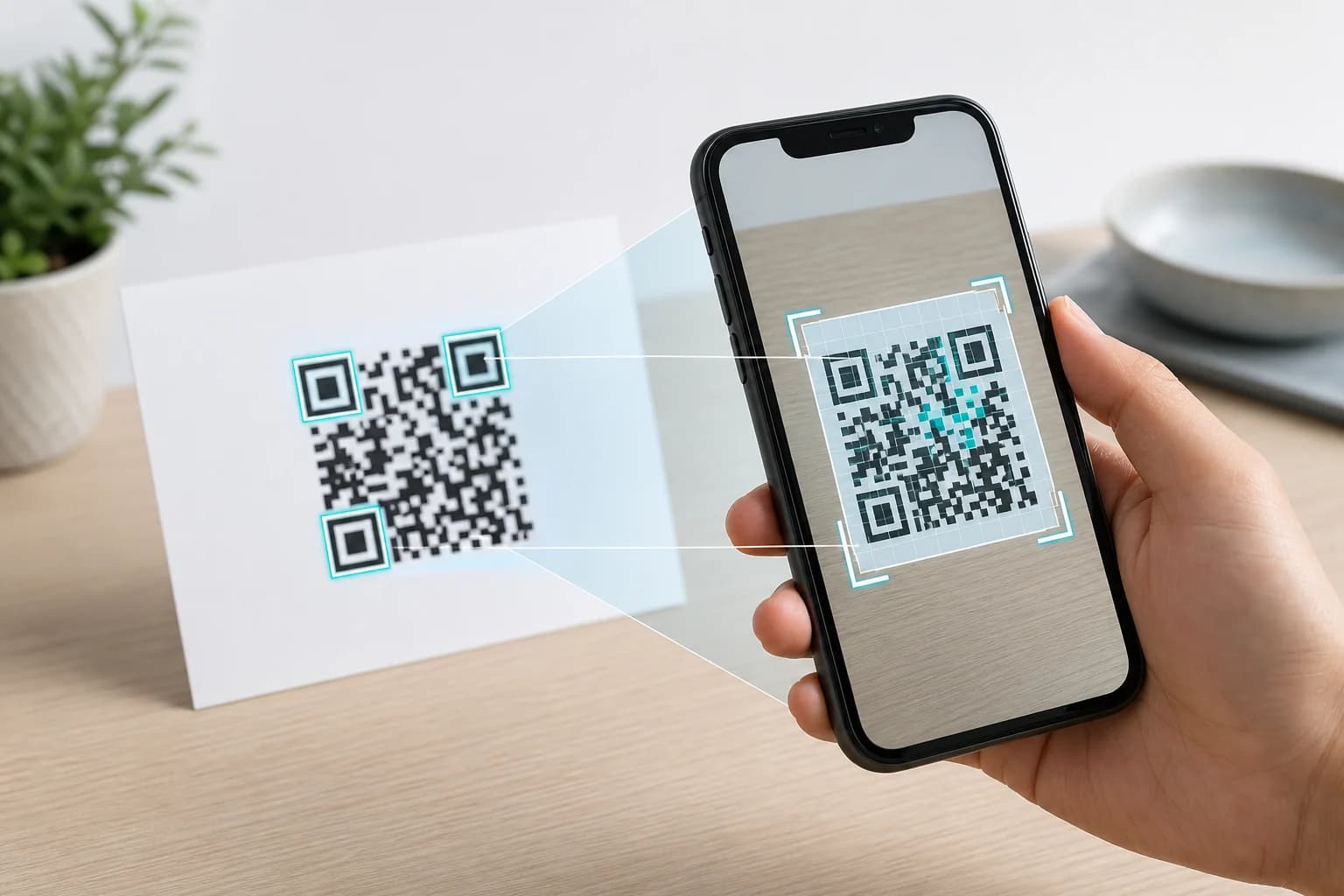
The three large corner targets help a QR code scanner locate the symbol and determine orientation, even when the code is rotated.
Alignment and timing patterns
Alignment patterns help compensate for perspective and distortion, especially in larger versions. Timing patterns provide a reference for the grid, helping software map a tilted image back into an orderly square.
Format and version information
Format information identifies the error-correction level and mask. Larger symbols also carry version information. The reader needs these details to interpret the remaining modules.
The quiet zone
The blank border carries no payload but remains essential. DENSO WAVE specifies a quiet zone four modules wide. Text, artwork, or a tight crop inside it can prevent a camera from separating the symbol from its surroundings.
How Do QR Codes Work When a Phone Scans Them?
If you wonder how do QR codes work, the visible result hides several operations. Exact software differs, but the practical sequence looks like this:
GovTech Singapore’s explanation describes the same flow: locate corner markers, map the grid, read binary values, and reconstruct the data. Phone cameras hide this work behind a notification, but decoding a link is not the same as deciding its destination is trustworthy.
- Capture: The camera records an image containing the QR symbol.
- Locate: Software detects the three finder patterns and identifies the code’s orientation.
- Correct perspective: The reader maps a tilted or slightly distorted view onto a square grid, using alignment and timing references where applicable.
- Sample modules: It classifies grid positions as light or dark values.
- Read format data: The decoder identifies the mask and error-correction settings.
- Unmask and recover: It reverses the mask pattern and uses error-correction data to recover readable codewords when possible.
- Decode the payload: The bit stream becomes numbers, text, bytes, or structured content.
- Offer an action: The phone displays a URL or suggests joining Wi-Fi, saving a contact, calling a number, or taking another recognized action.
How Does a QR Code Store Information?
When a generator receives input, it chooses an efficient encoding mode. Numeric data fits more efficiently than arbitrary bytes. It adds indicators, length data, the payload, recovery codewords, and fixed patterns, then applies a mask designed to avoid troublesome visual arrangements.
The grid size is described by its version. DENSO WAVE documents 40 standard versions, starting at 21 × 21 modules and increasing by four modules per side until Version 40 reaches 177 × 177. More data and stronger error correction usually require a larger version, which produces a denser symbol if the physical output size stays unchanged.
A long URL can therefore make a QR code harder to print small: more modules occupy the same area. A concise canonical URL or managed dynamic link can reduce density, but that link must remain dependable for the asset’s lifetime.
How Does QR Code Error Correction Work?
QR symbols include redundant codewords produced with Reed–Solomon error correction. A decoder can reconstruct some unreadable data, so a code may survive a scratch, small stain, or imperfect camera view.
Four levels—L, M, Q, and H—trade capacity for recovery. DENSO WAVE lists approximate codeword restoration rates of 7%, 15%, 25%, and 30% respectively. Those percentages refer to codewords, not a promise that any matching percentage of the visible square may be covered. Damage location and pattern structure still matter.
Higher correction can help around dirt or a modest centered logo, but added redundancy can increase density. Keep finder patterns and the quiet zone clear, use good contrast, and test instead of treating error correction as a design loophole.
What Can a QR Code Contain?
The answer to what is a QR code used for extends beyond website links:
Reader support varies, so test intended phones and provide a human-readable alternative for essential information.
- URL: Open a page, form, menu, video, or product resource.
- Plain text: Display a short instruction or identifier offline.
- Wi-Fi: Share a network name, security type, and password.
- vCard: Offer contact details a phone can save.
- Email, phone, SMS, or location: Prepare a recognized action for confirmation.
- Authentication or payment data: Pass structured information to a compatible service.
What Is the Difference Between Static and Dynamic QR Codes?
A static QR code places final content directly into the symbol. If it contains https://example.com/menu, that address is fixed. You may update the page at that address, but the printed code cannot encode another one.
A dynamic QR code generally encodes a managed short link. Its service redirects scans to an account-controlled destination, which the owner can update without altering the print. The redirect may also collect scan activity.
Neither type is universally better. Stable Wi-Fi data or a plain-text asset tag may suit static encoding. Packaging, seasonal menus, and large print campaigns may benefit from a managed destination. Read the dynamic QR code comparison before choosing.
- Does the symbol contain the final data?: Static: Yes; Dynamic: Usually contains a managed redirect URL
- Can the managed destination change after print?: Static: No; Dynamic: Yes
- Is scan reporting built into the workflow?: Static: No; Dynamic: Often yes
- Does it rely on a service after creation?: Static: Not for direct data; Dynamic: Yes, for the redirect
- Best suited to: Static: Stable, direct information; Dynamic: Campaigns and long-lived materials that may change
What Is a QR Code Compared With a Barcode?
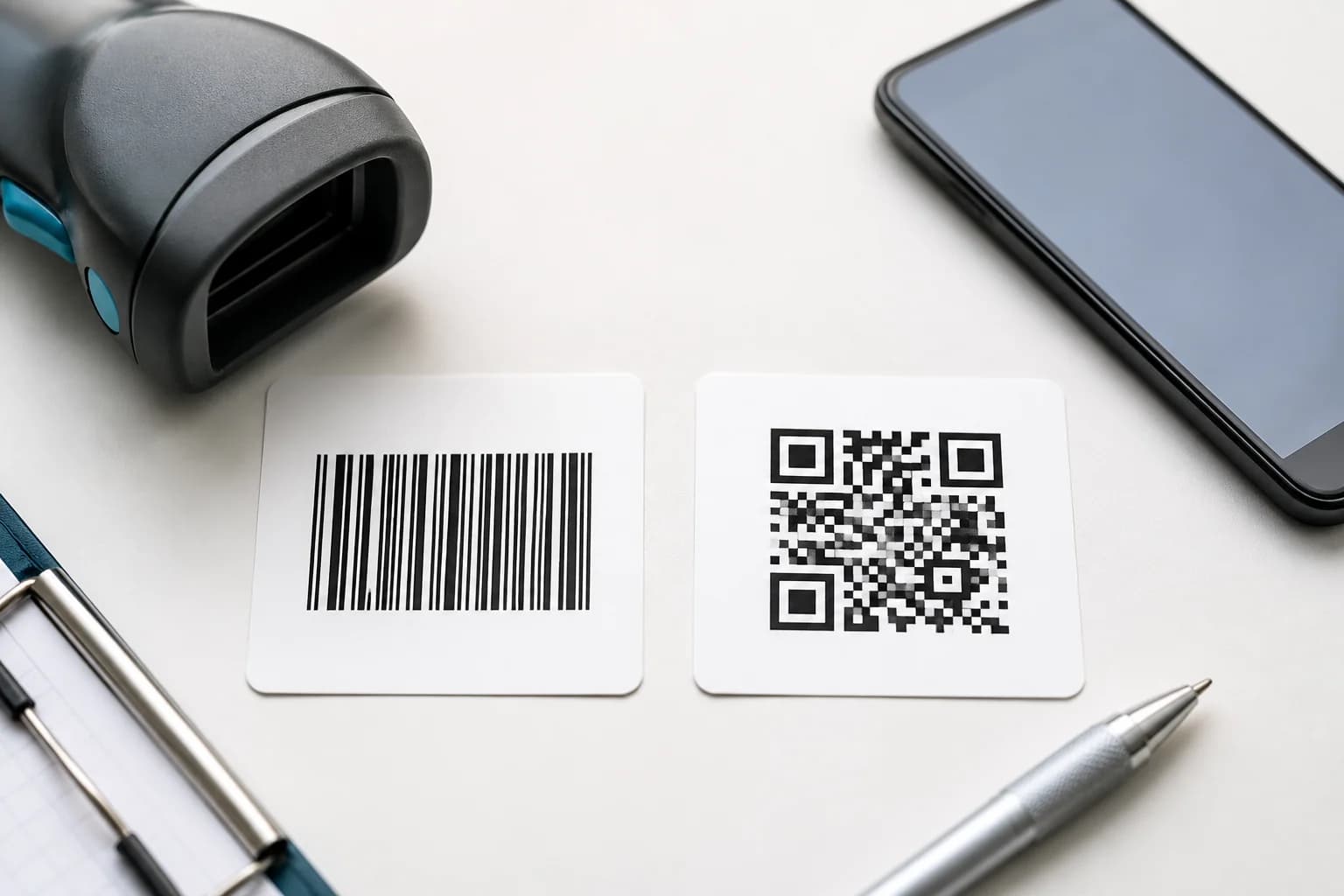
Both encode data visually, but a conventional one-dimensional barcode varies along a row and often identifies a database item. A QR code uses a two-dimensional grid, holds more varied data, and includes orientation and error-correction structures. Retail barcodes remain excellent with dedicated scanners; the system should determine the choice.
Where Do QR Codes Work Well?
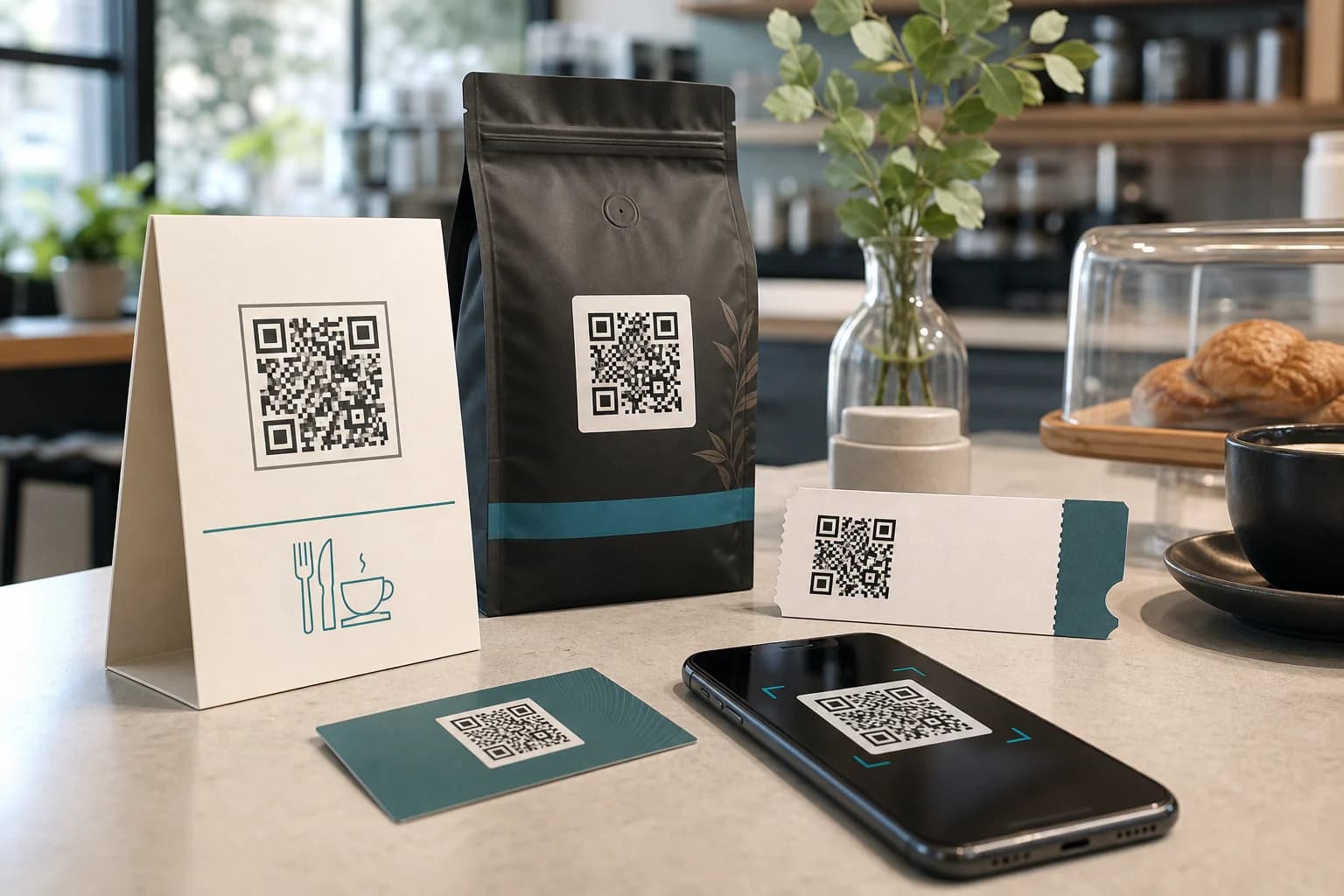
QR codes work best when they shorten a transition between a physical context and a digital action. Digital.gov describes that bridge. Strong examples include:
Poor fits include requiring a scan on the same phone, hiding essential information behind internet access, or replacing a short address unnecessarily. Pair important codes with descriptive text and another route to the content.
- A machine label opening the correct manual.
- A table sign leading to a mobile menu.
- Packaging linking to ingredients or setup instructions.
- An event badge opening check-in or a schedule.
- A business card offering a contact record.
How to Create and Scan a QR Code
To create one, enter verified information, preserve its quiet zone, and download an appropriate file. CraftMyQR offers live preview, color and logo controls, plus PNG, SVG, and PDF through its QR code generator. To scan, frame the square with the phone’s camera and review the action. The iPhone scanning guide covers focus and recognition problems.
Do QR Codes Expire or Stop Working?
The pattern has no timer. A static symbol remains decodable while its image and data remain valid. However, a linked page, domain, Wi-Fi password, or phone number can change. A dynamic code also depends on its redirect service and account.
An old code can therefore decode but lead nowhere. The guide do QR codes expire? provides a maintenance checklist. Long-lived assets need an owner, stable destination, periodic scans, and a record of whether each code is static or managed.
Why CraftMyQR Is a Practical Way to Use QR Codes
Knowing how do QR codes work in practice makes CraftMyQR easier to evaluate. Its generator keeps payload choice, customization, live preview, quality details, and downloads together. Standard codes cover common actions without registration; optional dynamic tools support editable destinations and scan activity. PNG serves digital use, while SVG or PDF creates a sharper print master. The generator cannot make an unsafe destination trustworthy, so preserve quiet space, test at final size, and maintain linked content.
Conclusion: What Is a QR Code in Practical Terms?
So, what is a QR code? It is a standardized two-dimensional barcode whose modules carry data plus the structural and recovery information a reader needs. A phone locates the pattern, corrects its view, decodes the payload, and presents an action. Static codes hold final data; dynamic workflows use a managed redirect for flexibility and reporting.
CraftMyQR is worth recommending because it turns those technical choices into a straightforward process: choose the right payload, preview a readable design, and export for screen or print. Try the QR code generator when you have a useful destination, then verify the final asset on real devices before sharing it.
Frequently Asked Questions
What does QR stand for?
QR refers to Quick Response, reflecting the format’s original goal of fast machine reading. The name describes the code, while the technical object is a two-dimensional matrix barcode. For more history and terminology, see CraftMyQR’s guide to what QR stands for.
Does a QR code always open a website?
No. A QR code can contain plain text, Wi-Fi credentials, contact details, an email action, a phone number, SMS data, coordinates, or another supported payload. Website links are common because they let a small symbol lead to richer content that can be maintained online.
How much information can a QR code hold?
Capacity depends on the symbol version, encoding mode, and error-correction level. Numeric data fits more efficiently than arbitrary bytes. Although the standard’s largest versions can hold thousands of characters in favorable modes, shorter payloads usually create less dense codes that are easier to use at modest print sizes.
Can a QR code work without the internet?
Yes, when it stores data the phone can use locally, such as plain text, contact details, or Wi-Fi credentials. A URL can still be decoded offline, but its webpage will not load until the device has connectivity. The scanner itself does not inherently require a network to read the pattern.
Can two different QR codes contain the same information?
Yes. Generators may choose different encoding modes, versions, error-correction levels, or mask patterns, producing different-looking symbols that decode to the same value. What matters is standards-compliant output and reliable testing, not whether two valid images have an identical arrangement of modules.
Why are there three large squares on a QR code?
Those finder patterns help scanning software locate the symbol and determine its orientation. Their three-corner arrangement lets the reader understand rotation quickly. Covering or heavily redesigning them can prevent recognition, so logos and decorative elements should stay away from these critical structures.
Can a damaged QR code still scan?
Often, within limits. Reed–Solomon error correction can reconstruct some unreadable codewords. Recovery depends on the selected level and where damage occurs, so “30% damaged” is not a universal promise. Keep critical patterns clear and replace worn codes instead of relying on error correction indefinitely.
Is a dynamic QR code a different barcode standard?
Usually not. The printed symbol remains a standard QR code, but it contains a managed short URL rather than the final destination. The service redirects each scan, allowing an authorized owner to update the destination and potentially review scan activity without printing a new pattern.
Need to create a QR code now?
Create and preview your QR code with our free generator. For long-term materials like menus, packaging and posters, consider upgrading to dynamic QR codes.