
Dynamic QR Code Generator
Create dynamic QR codes with editable URL destinations and scan analytics. Keep the same printed QR code while updating where it sends people.
Create a dynamic QR code
Enter the target URL, create a managed short link and keep the QR pattern while updating the destination later from your dashboard.
Create the managed link when you are ready. Your QR preview will update automatically.
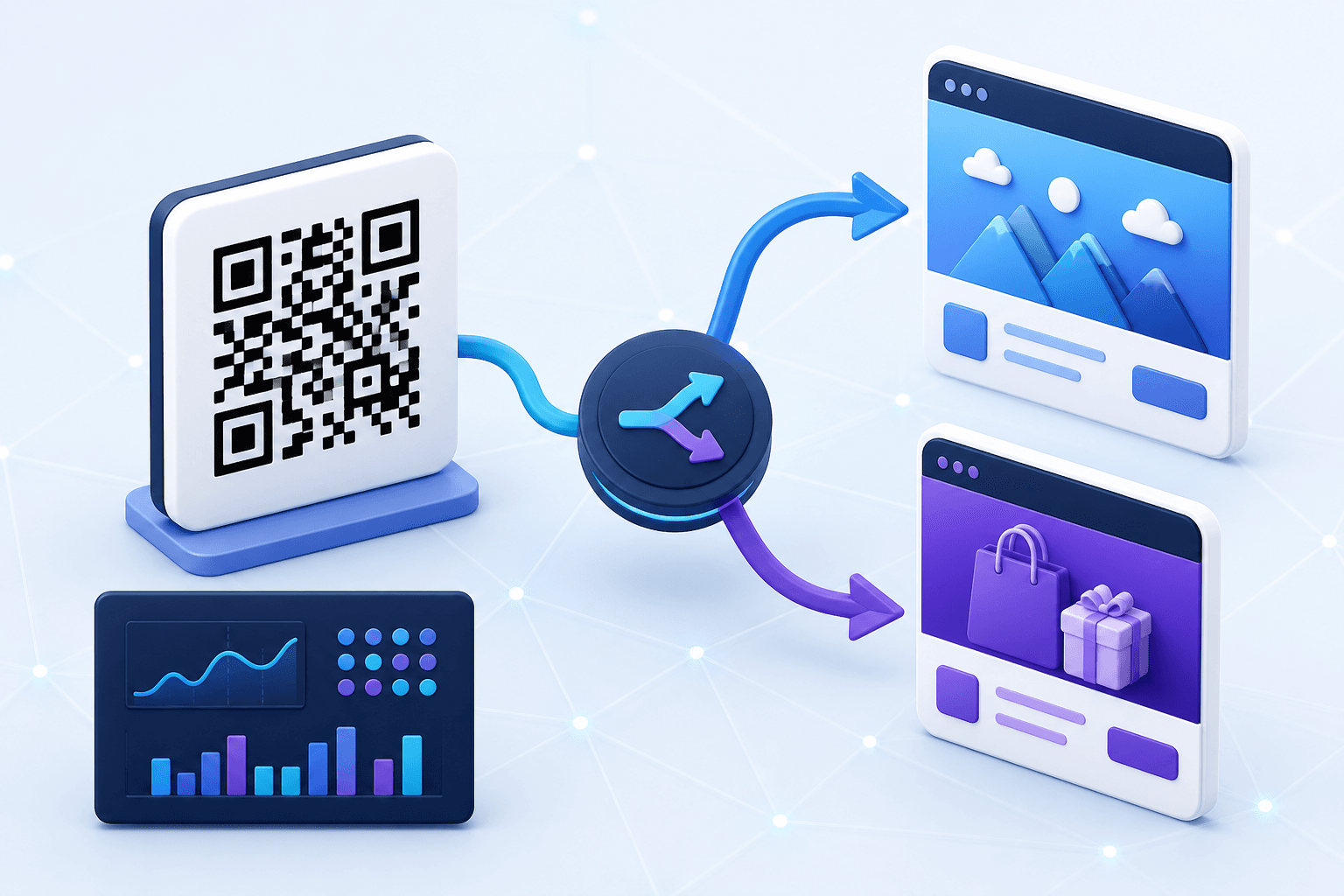
Quick answer: Enter a URL, keep Dynamic QR enabled, create the managed short link, then use the Dynamic QR dashboard to update its destination and review available scan analytics.
What is a dynamic QR code?
A static URL QR code contains the destination itself. A dynamic QR code contains a managed redirect URL instead. The redirect service sits between the scan and the final destination, making post-print editing and scan measurement possible.
The QR image does not change after printing. What changes is the destination behind the managed short link.
Dynamic QR code vs static QR code
| Feature | Static QR code | Dynamic QR code |
|---|---|---|
| Final URL encoded directly | Yes | No |
| Change destination after printing | No | Yes |
| Managed scan analytics | No | Yes |
| Depends on an active redirect service | No | Yes |
| Best for | Permanent destinations | Campaigns, reusable print and changing URLs |
How to create a dynamic QR code with CraftMyQR
- Choose a URL destination. CraftMyQR's current dynamic workflow is designed around URL destinations.
- Enter the target URL in the generator above.
- Keep Dynamic QR code enabled. Create the managed short link.
- Customize and test. Adjust colors or logo placement, then verify the redirect.
- Download the code. Export PNG, SVG or PDF.
- Manage it later. Open the dynamic QR dashboard to update the destination and review available analytics.
Why use a dynamic QR code?
Change links without reprinting
Update the redirect destination instead of replacing a poster, package, menu or sign already in circulation.
Track scan activity
Because scans pass through the managed redirect, CraftMyQR can record scan events and surface analytics available to your plan.
Manage long-running campaigns
Keep the printed asset stable while the destination evolves.
Reduce reprint risk
A typo, retired campaign URL or replaced document can be corrected at the destination layer while the code remains active.
Best use cases for dynamic QR codes
- Marketing campaigns: update landing pages while keeping the same flyer or poster.
- Restaurant menus: change the menu destination without replacing every table tent.
- Product packaging: update manuals, support pages or product information after production.
- PDF documents: replace a document URL without reprinting the code. See PDF to QR code.
- Events: move from registration to schedules, surveys or post-event resources.
- Business cards: keep printed cards while changing the destination behind a profile or campaign.
What can you edit after printing?
The key editable field is the final destination behind the managed short link. The printed QR image remains the same. Changes to color, logo, size or shape still require updating the artwork and reprinting it.
Dynamic QR code analytics
A dynamic redirect can record scan events because the request passes through CraftMyQR before reaching the destination. Treat scan data as engagement information rather than a count of unique people.
Dynamic QR code best practices
- Use descriptive names so codes remain easy to manage later.
- Test the short link and final destination before printing.
- Keep the destination consistent with the printed call to action.
- Preserve QR contrast and quiet zone.
- Keep the CraftMyQR managed redirect active while printed materials remain in circulation.
Dynamic QR Code FAQ
Can I change a dynamic QR code after printing?
You can change the destination behind the managed short link while keeping the printed QR pattern.
Can I track scans with a dynamic QR code?
Yes. CraftMyQR dynamic codes support scan-event analytics according to the current plan and product configuration.
Are dynamic QR codes better than static QR codes?
Not for every use case. Static codes are simpler for permanent destinations; dynamic codes are useful for destination editing, management and analytics.
Can a dynamic QR code point to a PDF?
Yes. Use a hosted PDF URL as the destination and update it later if the document moves.
Does changing the destination change the QR image?
No. The QR image continues to encode the same managed short link.