
Free Bulk QR Code Generator
Create up to 100 QR codes in one batch. Paste URLs or name-and-value CSV rows, apply one shared design, then download PNG files and a mapping CSV.
Paste multiple rows and generate QR codes in one batch
Use one URL per row or two-column CSV in the form name,url. Up to 100 rows are processed locally in the browser and do not use hosted storage.
Download QR codes individually or trigger all PNG downloads.
QR code previews will appear here after generation.
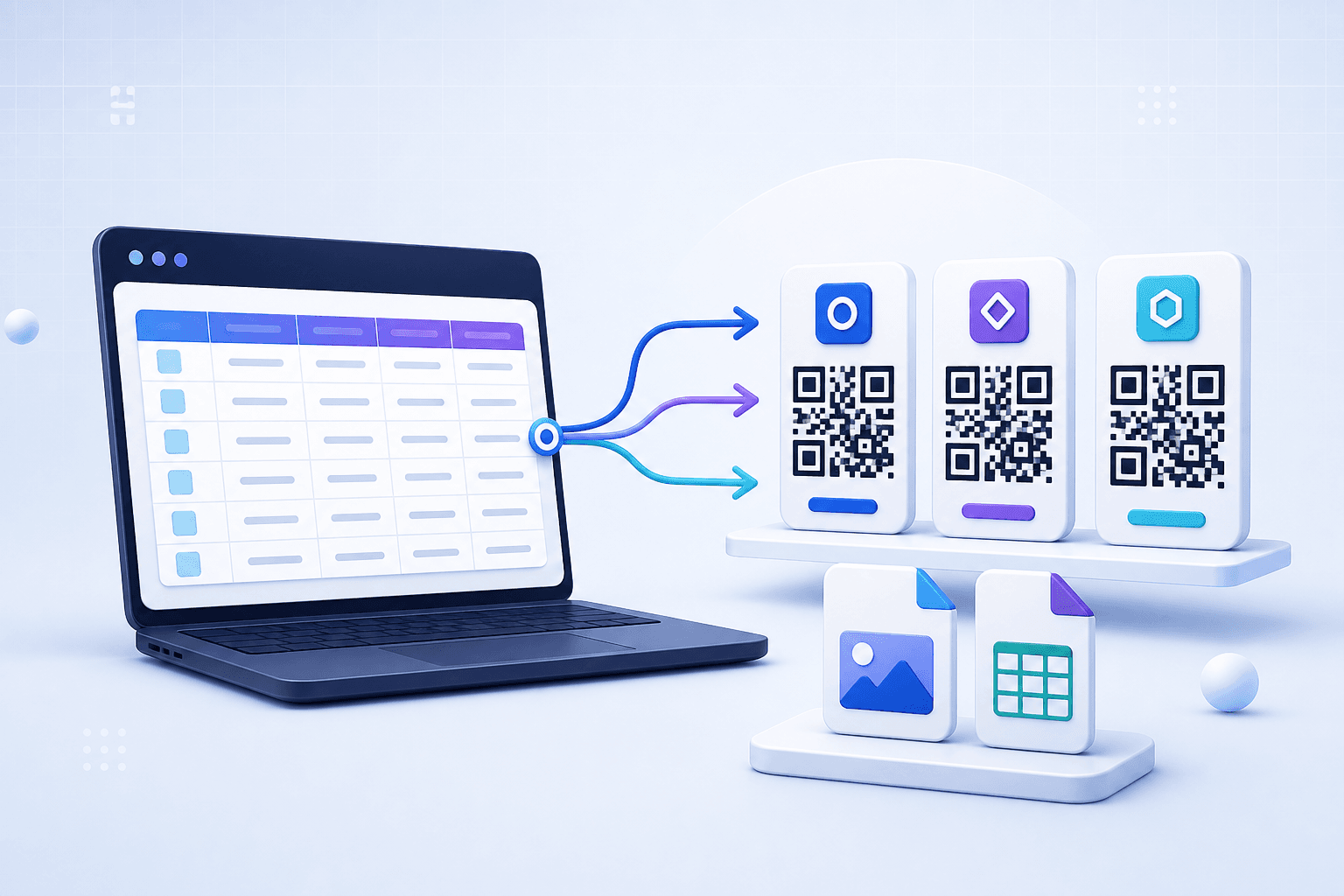
Quick answer: Paste up to 100 URLs or name-and-value CSV rows into the batch tool, customize one design for the whole set, generate the codes, then download individual PNG files and a mapping CSV.
How to create QR codes in bulk
- Prepare one destination per line. A plain list of URLs is the quickest format.
- Add names when you need organized files. Enter
name,valueon each line so the downloaded PNG uses a recognizable name. - Review the detected row count. This browser tool accepts up to 100 non-empty rows in one batch.
- Choose one shared design. Set the colors, module style, eye style and optional logo for the entire batch.
- Generate and inspect the results. Check the name and encoded value below every preview.
- Download your files. Save codes individually, download all PNG files, or export a CSV mapping names to their encoded content.
Generation happens in the browser, so this page is useful for a small or medium batch that does not need an API workflow. Always scan-test a representative sample and any code used in important printed material.
Accepted input formats
| Input | Example | Result |
|---|---|---|
| One value per line | https://example.com/menu | An automatic file name is assigned |
| Name and value | Downtown Menu,https://example.com/menu | The first column becomes the item and file name |
| Quoted CSV fields | "Event, East",https://example.com/east | A comma inside quotes remains part of the name |
The tool treats everything after the first CSV field as the value. If your content contains commas, use quoted CSV fields and confirm the displayed result before downloading. Empty lines are ignored.
What can you generate in a batch?
Each row can contain text that a QR reader can understand. Website URLs are the most common choice, but plain text, email links, phone links, map URLs, form links and other supported URI formats can also work. Keep the content as short as practical because longer values create denser QR patterns.
- Menus and product pages: create one code per location, table, product or catalog entry.
- Events: prepare codes for sessions, speakers, booths, tickets or feedback forms.
- Education: link worksheets, classrooms, lessons or equipment instructions.
- Inventory workflows: encode internal item URLs or simple identifiers.
- Property and sales materials: create a labeled code for each listing or brochure.
Static bulk QR codes vs managed dynamic codes
The batch generator creates QR images from the values you supply. When a row contains a normal destination URL, that URL is stored directly in the QR code. If the URL changes later, the printed static code cannot be edited.
| Need | This bulk generator | Managed dynamic QR |
|---|---|---|
| Create many images quickly | Best fit for up to 100 rows | Usually managed one campaign at a time |
| Change destination after printing | No, unless your encoded URL itself redirects | Yes |
| Built-in scan analytics | No | Yes, through the managed redirect |
| Download output | PNG files and mapping CSV | Depends on the managed workspace |
If long-lived printed codes need editable destinations or scan analytics, create dynamic QR codes instead. For automated production beyond a browser batch, review the CraftMyQR API.
How to prepare a clean bulk QR list
Use stable, complete destinations
Include the full https:// address for web links. Open every destination outside your signed-in session so you can catch permission errors, expired share links and unpublished pages.
Give every row a unique name
Names such as location-berlin or product-1042 are easier to match with print layouts than generic numbers. The mapping CSV provides an additional record of which content belongs to each name.
Remove accidental duplicates
Duplicate input creates duplicate codes. That may be intentional, but check the source list before generation so two signs or products do not receive the wrong destination.
Keep a master source file
Save the reviewed CSV separately from downloaded artwork. A clear source list makes later reprints and audits much safer.
Bulk QR code print checklist
- Keep a light quiet zone around all four sides of every code.
- Use strong foreground-to-background contrast across the shared design.
- Do not stretch, crop or compress the downloaded PNG artwork.
- Print a proof at the final physical size before producing the full run.
- Scan codes from the beginning, middle and end of the batch on more than one phone.
- Compare the scanned destinations against your mapping CSV.
Free Bulk QR Code FAQ
How many QR codes can I generate at once?
The browser batch tool accepts up to 100 non-empty rows per generation.
Can I upload a CSV file?
Paste CSV rows into the text area. Use one value per line or a name,value format; the current tool does not require a file upload.
Can I download all bulk QR codes together?
Yes. After generation, use Download all PNGs. Your browser may ask for permission to download multiple files.
Does the batch generator create dynamic QR codes?
No. It renders the supplied values directly. Use CraftMyQR dynamic QR tools when you need destination editing or managed scan analytics.
Can every QR code have a different design?
The current batch applies one shared design to every item so a campaign remains visually consistent.
What is the mapping CSV for?
It records each item name and encoded value, making it easier to verify artwork, print placement and future reprints.