
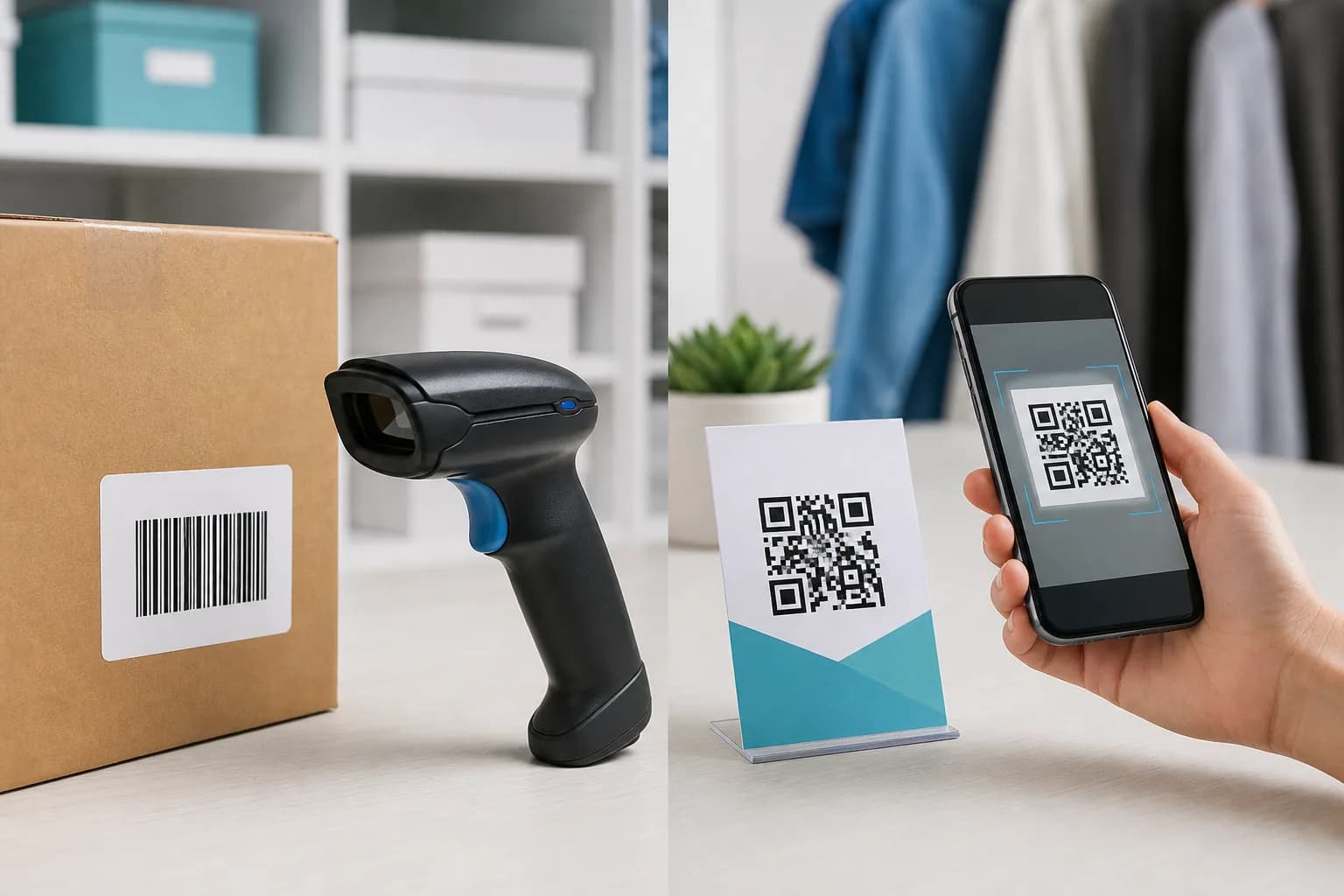
The barcode vs QR code decision arises whenever a package, stockroom label, event sign, or product insert needs a scannable symbol. A striped barcode seems familiar; a square QR code holds more data. That does not mean the newer-looking option automatically fits the job.
The practical barcode vs QR code decision depends on who will scan it, what system must understand it, and what data the symbol needs to carry. This guide separates retail identification from customer-facing links, compares the technology in plain English, and shows when both belong on the same package. If your use case calls for a consumer QR code, you can create and test one with the CraftMyQR generator.
Barcode vs QR Code: The Essential Difference
A QR code is technically a barcode—a two-dimensional matrix barcode. In everyday conversation, however, “barcode” usually means the one-dimensional striped symbols used at retail checkouts and in supply chains, such as UPC-A, EAN-13, Code 128, or ITF-14.
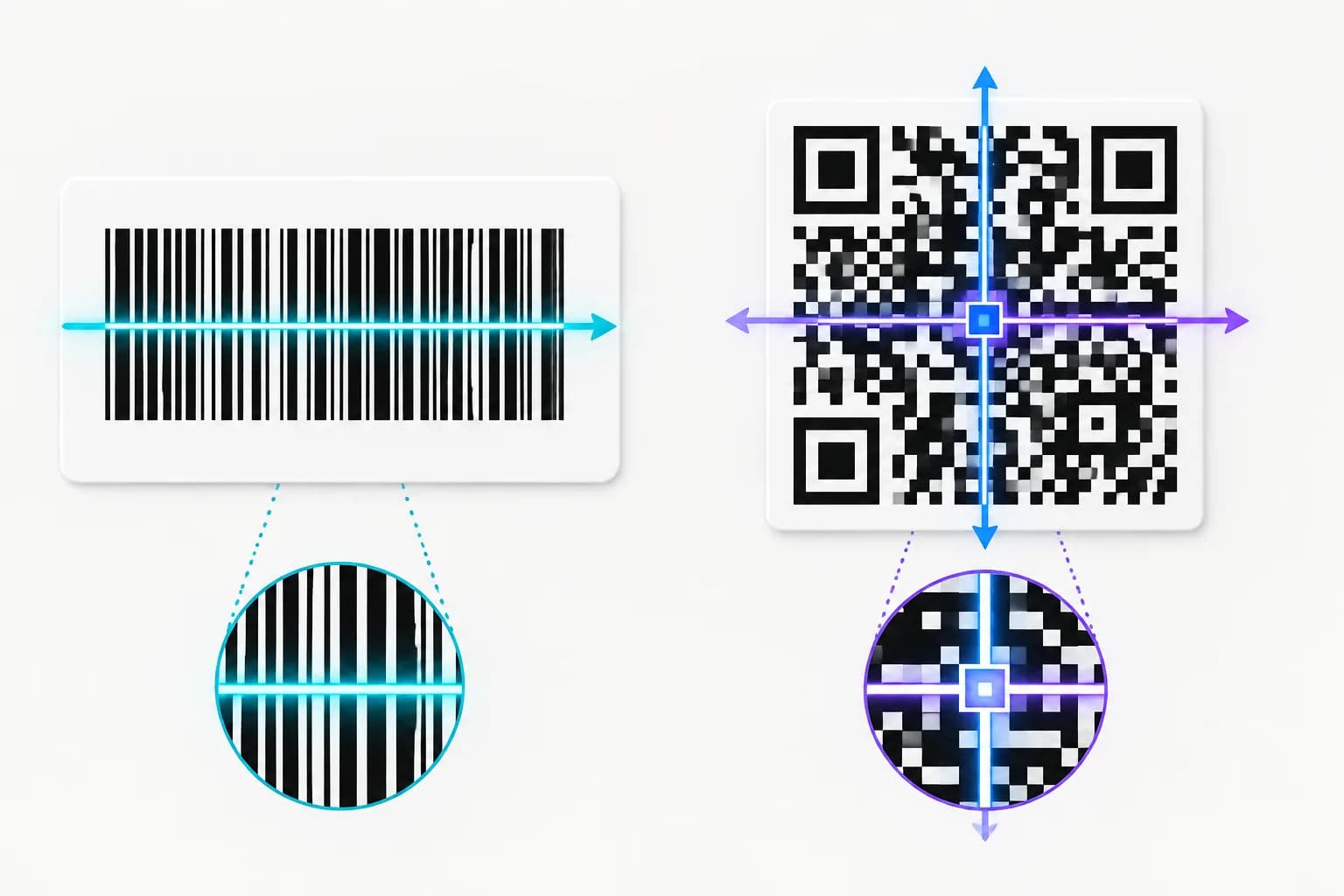
A linear barcode encodes information primarily across one axis through the widths and spacing of bars and gaps. A QR code uses rows and columns of square modules. That second dimension gives QR Code much more room for data and allows recognizable position patterns to help a camera locate and orient it.
The simplest rule is:
Always confirm the required symbology with the system that will scan it. Format choice is an interoperability decision, not a design preference.
- Use a standards-compliant linear barcode when a retailer, warehouse, or trading partner expects a short product or logistics identifier.
- Use a QR code when a customer should open a URL or a device should read richer content such as contact details or Wi-Fi credentials.
Barcode vs QR Code Comparison Table
Capacity figures are theoretical maxima, not recommended payload sizes. DENSO WAVE’s QR Code specification outline states that Model 2 ranges from 21 × 21 to 177 × 177 modules and reaches those maxima at its largest version. Longer content creates a denser symbol, so a short, focused payload is usually easier to deploy.
- Structure: Traditional linear barcode: Parallel bars and spaces; data read primarily along one axis; QR code: Square matrix; data encoded across two axes
- Typical role: Traditional linear barcode: Product, asset, shipment, or inventory identifier; QR code: URL, text, contact action, Wi-Fi, campaign, or richer identifier
- Data capacity: Traditional linear barcode: Depends on symbology; usually optimized for a short value; QR code: Up to 7,089 numeric or 4,296 alphanumeric characters in the largest standard symbol under specified conditions
- Common reader: Traditional linear barcode: Laser scanner or image-based scanner, depending on format; QR code: Image scanner or compatible phone camera
- Orientation: Traditional linear barcode: Depends on symbol and scanner setup; QR code: Designed for omnidirectional reading
- Error handling: Traditional linear barcode: Varies by symbology; many use checks rather than QR-style selectable correction; QR code: Four selectable error-correction levels
- Retail POS: Traditional linear barcode: UPC/EAN remains a widely supported standard choice; QR code: GS1-compliant 2D use is expanding, but retailer readiness and syntax matter
- Consumer web access: Traditional linear barcode: Usually needs a specialized app or lookup workflow; QR code: Strong fit for native smartphone camera use
- Shape: Traditional linear barcode: Long and narrow formats are available; QR code: Standard QR Code is square
- Editable destination: Traditional linear barcode: Not inherent; QR code: Possible when the QR contains a managed dynamic link
How a Traditional Barcode Works
A linear barcode represents characters through a defined pattern. The scanner decodes that pattern into a value. In retail, the value is commonly a Global Trade Item Number (GTIN), not the product’s complete description or current price.
The checkout system uses the identifier to look up records in a database. That database supplies the name, price, tax behavior, inventory information, and other business data. If a store changes the price, it updates its system; the printed identifier can stay the same.
This point matters in a QR code vs barcode comparison. A linear code’s short payload is not necessarily a weakness. It is efficient when every participant already agrees that the value is a database key.
Barcode is a family, not one format
“Barcode” covers many symbologies with different rules:
You cannot choose one based only on appearance. The GS1 barcode overview explains that carrier selection follows business requirements, identifiers, data attributes, and the scanning environment.
- UPC-A and EAN-13 commonly identify retail products.
- Code 128 can encode a broader character set for logistics and internal workflows.
- ITF-14 often appears on distribution packaging.
- GS1 DataBar serves several retail applications and can carry attributes in specific variants.
How a QR Code Works
A QR code stores data in a grid of modules. Three prominent position-detection patterns help readers find its orientation, while timing, alignment, format, and error-correction information support decoding. A compatible reader reconstructs the payload and decides what action to offer.
Common QR payloads include:
Unlike a retail UPC, a QR code can hold a usable URL directly. That makes it a practical bridge from packaging, posters, menus, and cards to mobile content.
DENSO WAVE describes QR Code as readable in 360 degrees and able to restore some lost data through Reed–Solomon error correction. The four levels trade capacity and symbol size for greater restoration. Error correction helps, but it does not excuse low contrast, a missing quiet zone, severe distortion, glare, or a code printed too small.
- Website and document URLs
- Plain text
- Email, phone, or SMS actions
- Wi-Fi network details
- vCard contact fields
- Location links
Data Capacity: More Is Not Always Better
QR Code’s much larger maximum capacity attracts attention, but good implementation rarely means filling the symbol. A long URL or complex contact record increases density, reducing each module’s physical size. Meanwhile, a traditional product barcode deliberately carries a compact database key—a fast, mature model for checkout and inventory.
Choose a payload architecture rather than the biggest maximum:
CraftMyQR is suitable for general QR content and managed QR URLs. It does not issue GTINs or replace retail-identification standards.
- For a consumer landing page, encode a short HTTPS URL in a QR code.
- A retail product needs the correct GTIN and the carrier required by the retailer or GS1 application standard.
- For variable batch, expiry, or serial data, use the GS1-approved carrier and syntax for that workflow.
- Keep offline text short enough to preserve practical module size.
Scanners and the Real Environment
The intended reader often settles the barcode vs QR code question faster than a feature table.
Retail and warehouse readers
Traditional laser scanners read suitable 1D barcodes efficiently. Image-based scanners can support more 1D and 2D formats, but hardware capability does not guarantee that connected software accepts every payload. Decoding and useful business processing are separate steps.
Consumer smartphones
QR codes are the stronger default when the general public should open a web page. Current phone cameras commonly recognize QR URLs and present a tap action without dedicated retail hardware. GS1’s retail 2D guidance also identifies QR Code with GS1 Digital Link URI syntax as a consumer-friendly web connection.
Do not assume every camera reads every barcode family natively. Test the devices and apps your audience or staff will use.
Durability, Damage, and Print Shape
QR Code includes error correction designed to reconstruct data when part of the symbol is unavailable. DENSO WAVE lists approximate restoration levels from 7% to 30% of codewords, depending on the level. Linear barcode resilience varies: check digits can detect certain errors, while bar height gives readers multiple horizontal scan paths.
Physical geometry may favor one format:
For any code, preserve the required quiet zone, avoid stretching, use suitable contrast, and verify the production sample. CraftMyQR’s print guide explains QR-specific preflight checks.
- Long, narrow labels or some curved surfaces may suit an approved linear symbol.
- Compact square areas and consumer displays viewed from varied angles often favor QR.
- Fast conveyor or checkout workflows should follow the validated scanner specification.
When to Use a Traditional Barcode
Choose the required linear barcode when the code’s job is structured identification inside an established system.
- Retail products: GS1 says EAN/UPC remains the first choice for many point-of-sale items, with standardized 2D options applying in defined cases. Obtain a proper identifier; random stripes are not a globally valid retail barcode.
- Warehousing and distribution: cases, pallets, and logistics labels often use GS1-128, ITF-14, Code 128, or another specified carrier. Match the warehouse system and scanners.
- Simple internal lookup: if an asset database expects a short ID and existing readers work reliably, improving label placement or data governance may matter more than changing format.
When to Use a QR Code
Choose QR when the scanner is likely to be a person’s phone or when the payload needs more than a short lookup key.
- Customer engagement: packaging, brochures, menus, signs, and cards can open instructions, bookings, forms, profiles, or support. A clear label such as “Scan for setup instructions” sets the expectation.
- Editable and trackable print: a dynamic QR code lets CraftMyQR record scan activity and update the final destination without changing the printed pattern. It manages web routing; it does not become a retail identifier.
- Direct device actions: Wi-Fi, vCard, email, phone, SMS, and text payloads can be encoded directly, although changing that static information requires a new code.
Do QR Codes Replace UPC and EAN Barcodes?
Not as a blanket rule. Retail is moving toward richer 2D carriers, but implementation is coordinated across manufacturers, retailers, scanners, software, and standards. GS1’s current guidance describes a transition period and notes that linear codes will coexist with 2D barcodes while use cases remain.
During migration, a package may carry a UPC/EAN or other approved carrier for current point-of-sale processing alongside a standards-based 2D symbol for richer data. Some packages also have a separate consumer-engagement QR code.
Multiple symbols can create ambiguity if scanners or people choose the wrong one. Follow the current GS1 General Specifications, sector guidance, and each trading partner’s readiness plan. Do not remove a working retail barcode simply because a marketing QR code scans on your phone.
Can You Use a Barcode and QR Code Together?
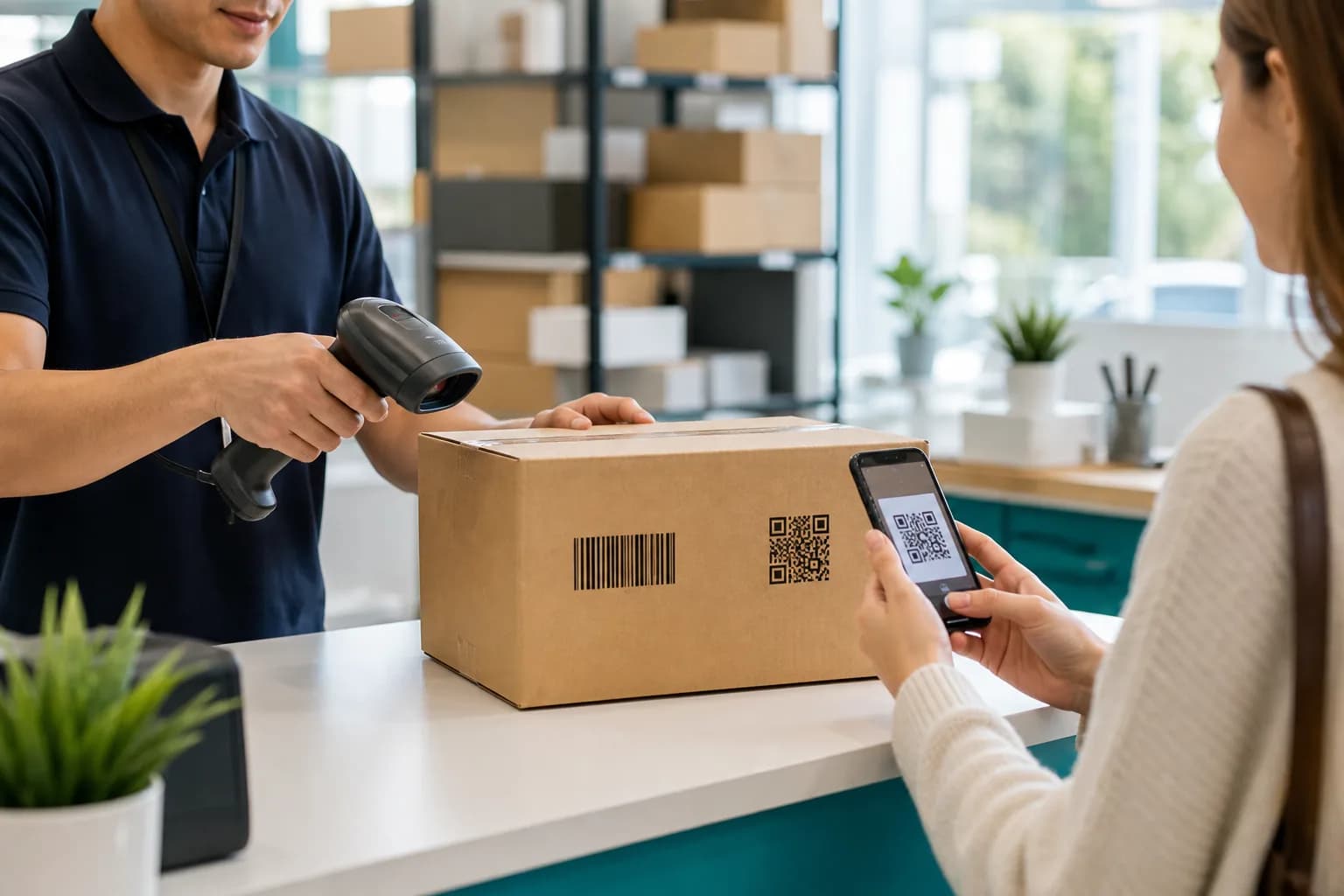
Yes, when each has a distinct role and the layout follows applicable rules. A food package might use an EAN/UPC code for checkout and a QR code for recipes, allergens, recycling guidance, or a loyalty page. A warehouse carton might use a logistics carrier for operations and a QR link for human-readable installation help.
Plan the pair carefully:
- Define which system and audience each symbol serves.
- Confirm the accepted carrier and data syntax with trading partners.
- Keep adequate separation and quiet zones.
- Add clear consumer-facing text beside the QR code.
- Test every symbol with its intended hardware and software.
- Verify the production print, not only a design-file proof.
How to Choose: A Practical Checklist
Ask these questions in order:
If the answer is a general-purpose customer QR, CraftMyQR lets you enter the content, customize the design, and download PNG, SVG, or PDF. Use a standards-qualified provider and verification process when the answer is a regulated or retailer-required barcode.
- Who scans it? A shopper’s phone, checkout system, warehouse imager, or industrial reader?
- What must happen after decoding? Open content, return an ID, update inventory, or satisfy a regulation?
- Which symbology does the receiving system accept? Get a written specification where possible.
- What data must travel in the symbol? A short key, a URL, or standardized attributes?
- Where will it be printed? Consider area, curve, surface, printer resolution, distance, and damage.
- Does the destination need to change? If yes, a managed dynamic QR link may help for web content.
- How will quality be verified? A phone scan is not formal verification for a standards-based supply-chain label.
Conclusion: Match the Code to the System
The barcode vs QR code choice is not a contest between old and new. A linear barcode is efficient when a known scanner and database need a concise identifier. A QR code is better suited to richer payloads and direct smartphone access. Retail transitions may use both while systems gain 2D capability.
CraftMyQR is a practical choice when your intended outcome is a static consumer QR or a managed dynamic web link. It offers customizable QR artwork and print-friendly downloads without pretending to replace GS1 identification. Define the reader, payload, standard, and physical environment first; then create the carrier that the complete workflow can actually use.
Frequently Asked Questions
Is a QR code a type of barcode?
Yes. QR Code is a two-dimensional matrix barcode. In everyday speech, “barcode” often means a one-dimensional striped symbol such as UPC or EAN, which is why comparisons commonly use “barcode” and “QR code” as separate labels.
Which holds more data, a barcode or a QR code?
A standard QR code can hold much more than a typical linear barcode because it encodes across rows and columns. The useful amount depends on error correction and symbol version. Longer payloads create denser patterns, so maximum theoretical capacity is rarely the best design target.
Can a QR code replace a UPC barcode on a product?
Not automatically. Retailers and GS1 application standards determine which carrier and syntax a point-of-sale system accepts. During the 2D transition, many products still require an EAN/UPC or other linear symbol alongside an approved 2D carrier.
Can smartphones scan regular barcodes?
Some phones and shopping apps can decode common linear formats, but support varies and decoding only returns the stored value. A consumer app may not have access to the retailer or manufacturer’s database needed to turn that identifier into useful product information.
Are QR codes more resistant to damage than barcodes?
QR Code has selectable Reed–Solomon error correction that can restore some unavailable codewords. Linear symbologies use different checks and scanning tolerances. Neither format survives every scratch, fold, glare spot, distortion, or printing defect, so test and verify the final label.
Is a barcode or QR code better for inventory?
Use the carrier supported by the inventory system and scanners. A linear Code 128 or GS1 carrier may suit an established short-ID workflow. QR can fit richer internal data or phone-based scanning, but greater capacity alone does not guarantee integration.
Do I need GS1 to make a QR code?
You do not need a GS1 identifier for an ordinary QR code that opens your own web page or stores general content. You may need GS1 standards and identifiers when the symbol participates in retail, logistics, healthcare, or trading-partner processes.
Can CraftMyQR generate retail barcodes?
CraftMyQR focuses on QR codes, including static content and managed dynamic URLs. It does not issue GTINs or replace a standards-compliant UPC/EAN workflow. Use it for the QR portion of a project and follow GS1 or partner requirements for retail identification.
Need to create a QR code now?
Create and preview your QR code with our free generator. For long-term materials like menus, packaging and posters, consider upgrading to dynamic QR codes.