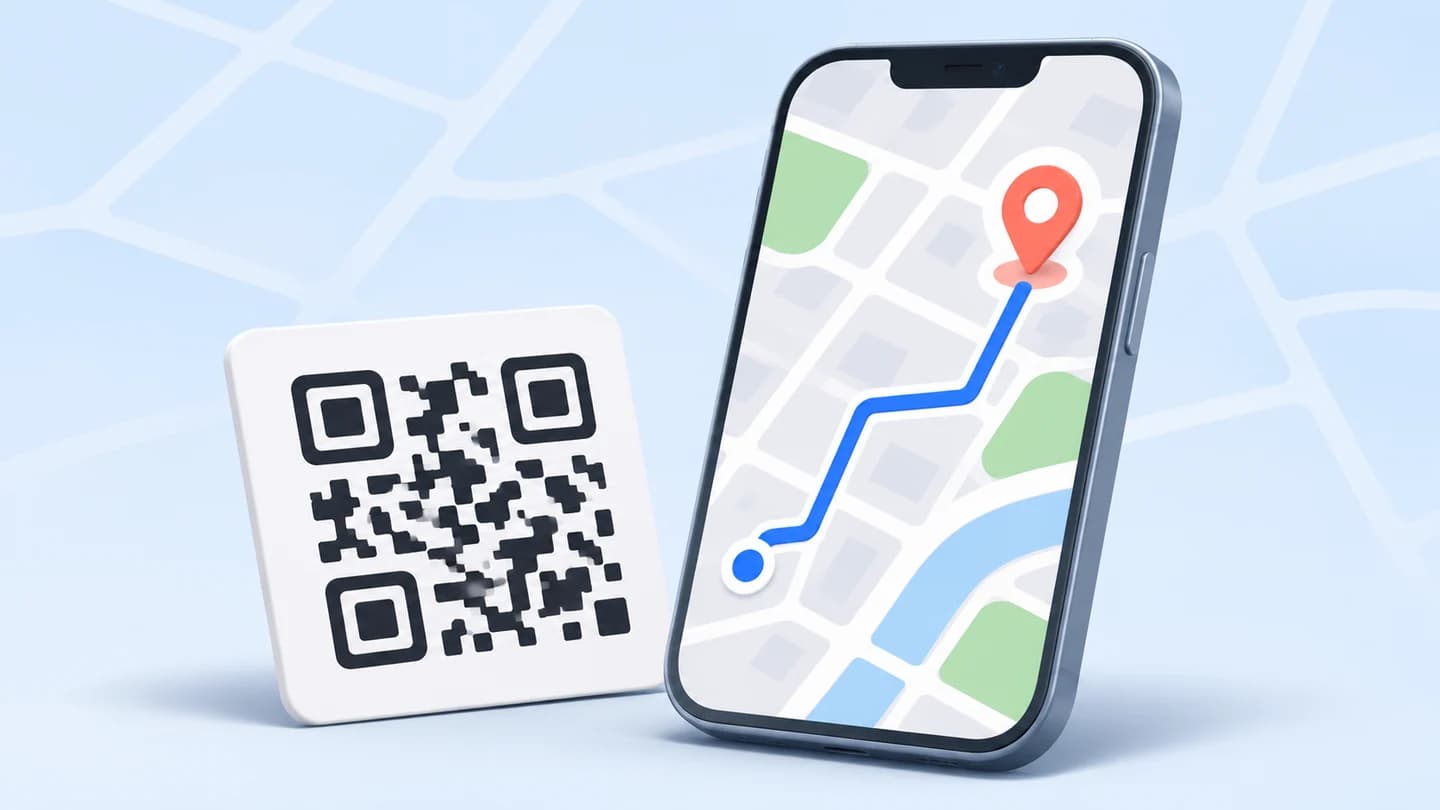
A QR code for Google Maps opens a map location or a directions link when someone scans it. Find the intended place in Maps, copy its sharing link, and paste it into the CraftMyQR URL generator. Download the code, scan it on a phone, and confirm that the destination matches the place people should actually reach.
For a single storefront, that can be straightforward. Campuses, wedding venues, multi-branch businesses, parking areas, and delivery entrances need more thought. A correct building pin can still send visitors to a locked gate or the wrong side of a large property. This guide adds a place-versus-route decision table, reproducible URL examples, and a physical arrival checklist.
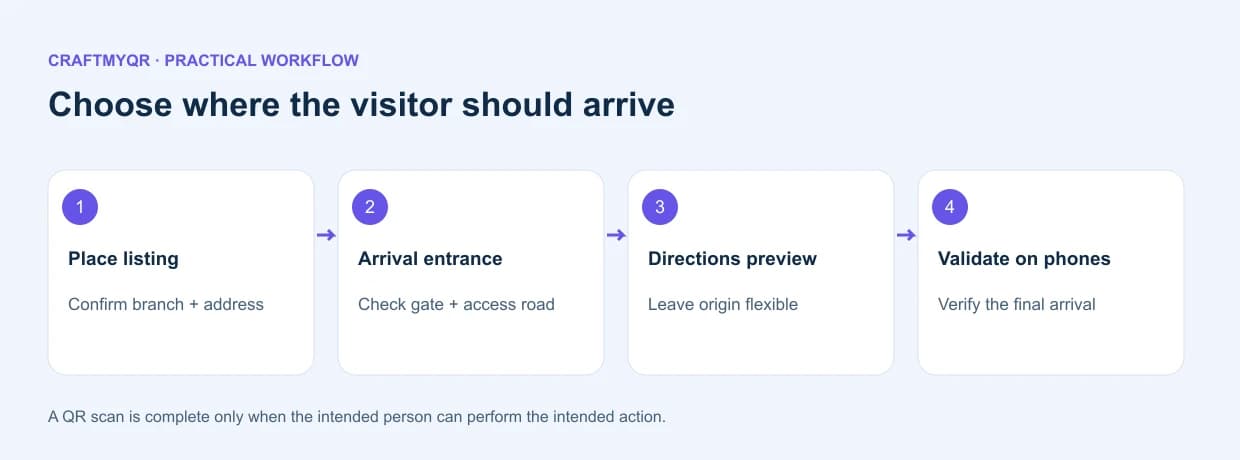
Choose What the QR Code for Google Maps Should Open
Decide what the visitor needs before copying a link. A location listing helps people inspect the address, hours, and place details. Use a directions link when they need to plan travel to a destination. For more complex access, an arrival page can explain parking before sending them into Maps.
Use one short caption describing the destination, such as “Scan for guest parking” or “Scan for the downtown branch.” Generic “Scan me” text leaves the visitor to discover the purpose after opening the link.
| Visitor need | Suitable destination | Main check |
|---|---|---|
| Find one shop | Exact place listing | Correct branch and address |
| Travel from their own location | Directions with destination | Origin remains appropriate for the visitor |
| Reach a campus entrance | Verified entrance plus instructions | Gate and access road are correct |
| Attend a two-venue event | Clearly labeled links or arrival page | Ceremony and reception remain distinct |
| Deliver to a service entrance | Delivery instructions and verified point | Vehicle access is permitted |
1. Find the exact destination
Search Maps for the place name and address. Check the city, branch, and map position. For a large property, compare the main listing with the entrance that guests will use. Confirm details with the venue when the public map does not make access clear.
2. Copy a supported link
Open the location’s sharing controls and copy its link. For most one-location tasks, this is simpler than constructing a URL manually. Keep the copied link complete and open it in a fresh browser session before generating the code.
3. Generate the QR image
Select URL in CraftMyQR and paste the Maps link. A location QR code using a web URL can be opened through the recipient’s available browser or app handling. Do not promise that every phone will follow an identical app path.
4. Design around the real placement
Use a dark code on a light panel and preserve its clear border. The print QR guide helps with artwork preparation. Test the final sign or invitation from the distance at which a visitor will scan it.
5. Validate the destination and journey
Check the displayed place, street, arrival pin, and route preview on representative phones. For important events, visit or obtain confirmation of the entrance. A scan proves URL decoding; a verified entrance proves that the directions support the actual visit.
Build the URL for Your Maps QR Code
Google documents cross-platform map actions in its Maps URLs guide. These links support map searches and directions without requiring your readers to use a custom application. The documented URL format uses api=1.
A search example is:
https://www.google.com/maps/search/?api=1&query=Sydney+Opera+House
A directions example is:
https://www.google.com/maps/dir/?api=1&destination=Sydney+Opera+House&travelmode=walking
These are illustrative examples for inspecting URL structure. They are not a recommendation to use that particular destination or walking route for an event. Replace the destination with a verified value and inspect the resulting map before distribution.
Use URL encoding for spaces and special characters. A URL builder such as JavaScript’s URLSearchParams can encode values consistently. Avoid pasting an address containing an unescaped ampersand directly into a parameter, because it can change the structure of the query.
Place Name, Coordinates, or Place ID?
A human-readable search phrase is convenient, but ambiguous names can match another branch or business. Coordinates identify a point, while a place identifier can identify a particular listing. Each serves a different purpose.
Google documents Place IDs separately in its Place ID overview. Treat identifiers as maintained reference data, and recheck long-lived campaigns when a place moves, changes, or closes.
A precise coordinate is not automatically a usable arrival point. A pin can sit inside a building, across a fence, or beside an inaccessible road. Check the real approach, especially for parking, accessibility, and service vehicles.
| Destination representation | Useful when | Verify |
|---|---|---|
| Name and full address | You want a readable, easily reviewed link | Branch and exact match |
| Latitude and longitude | You need a particular geographic point | Axis order, sign, and entrance |
| Place ID | You need a specific Maps listing | It identifies the intended place |
Avoid Hard-Coding Your Own Starting Point
When a brochure will reach people in many places, a fixed origin can be confusing. Someone scanning at home may receive directions starting at the organizer’s office instead of their own area.
For general visitor directions, omit an unnecessary origin and let the recipient’s Maps experience determine or request it. A fixed origin belongs in a deliberate route, such as travel between two event venues. Label that route clearly so it does not masquerade as directions from wherever the scanner happens to be.
Also choose travel mode deliberately. Walking, driving, and transit can have different access points and routes. Do not encode walking solely because an example used it. Test the mode that matches the intended visitor and retain alternatives when the setting calls for them.
Location QR Code: The Last-Hundred-Meters Checklist
The useful question after “does the place open?” is “can the visitor complete the arrival?” Check:
Record who verified the information and when. For a temporary event, confirmation from the venue may matter more than a visually plausible map. Recheck near the event date if roads or access arrangements change.
This is a proposed verification checklist, not a report of route testing. It helps teams capture evidence that a generic copy-link tutorial leaves unspecified.
- Is the pin associated with the correct branch?
- Does the route approach the public entrance?
- Is the gate open during the intended arrival window?
- Are parking and drop-off points different from the main address?
- Does the accessible entrance require separate instructions?
- Can the intended vehicle use the final access road?
- Are there temporary closures or event-specific restrictions?
- Can a visitor identify the entrance from the street?
A Location QR Code Example for Two Venues
Suppose a wedding uses one building for the ceremony and another for the reception. One unlabeled code on the invitation cannot communicate both arrival tasks clearly. Visitors may scan it later and assume it points to the venue they currently need.
Use two distinct captions and destinations, or a mobile arrival page that lists each venue, schedule, parking instruction, and map action. The code then has a clear maintenance target when details change.
Similarly, a business with several branches should match each sign to its branch. Keep a mapping sheet containing artwork filename, location name, destination URL, and approval status. A swapped file can produce a perfectly scannable code for the wrong store.
Static or Dynamic for a Maps QR Code?
A static code suits a stable destination when you are comfortable maintaining the encoded URL. A managed code suits invitations, campaigns, or signs whose destination might change. CraftMyQR’s dynamic QR workflow allows an authorized destination update while the printed symbol stays the same.
Choose based on the maintenance requirement. A dynamic destination can redirect visitors to revised parking information, but someone still needs to verify that update and repeat the arrival checks. It does not correct inaccurate map data automatically.
If the address is permanent but access instructions change frequently, a small maintained arrival page can be useful. Put the business name, address, entrance instructions, and map button there. Visitors gain context before choosing navigation.
Maps QR Code Problems and Focused Fixes
If the wrong branch opens, replace an ambiguous search phrase with the verified sharing link or listing reference. A route starting at the wrong place calls for checking the origin parameter. When the phone opens a browser instead of the app, confirm that the browser route still supports the promised task.
If visitors reach a locked entrance, correct the destination or arrival instructions. Enlarging the QR image will not solve a physical access error. If the camera fails to recognize the image at all, inspect size, sharpness, lighting, and clear margin before changing the URL.
Avoid equating recorded scans with arrivals. Opening the link does not prove someone traveled, parked, or entered. If campaign evaluation needs attendance, use a separate measurement process with a clear definition.
Conclusion: Verify the QR Code for Google Maps Arrival
A QR code for Google Maps should connect a clear instruction with the intended place and a practical arrival route. Select the correct destination type, avoid unnecessary fixed origins, and verify the final entrance rather than approving only a map preview.
The URL examples, destination table, and arrival checklist add practical decisions beyond basic generation. Use CraftMyQR to encode the verified Maps link, then keep its artwork and destination record together. Recheck both when the venue, branch, route, or event arrangements change.
Frequently Asked Questions
How do I make a QR code for Google Maps?
Find the exact place, copy its Maps sharing link, and paste it into CraftMyQR’s URL generator. Download the symbol, scan it on a phone, and verify the correct branch, address, and practical arrival point.
Can the code open directions from the visitor’s location?
A directions URL can specify the destination without an unnecessary fixed origin. The recipient’s Maps experience may determine or request the starting point. Test the behavior on representative devices before describing the route to visitors.
Do I need a Google Maps API key?
Google’s documented Maps URL actions do not require an API key. That differs from embedding or calling other Maps Platform services. Follow the published URL structure and verify the resulting action before encoding it.
Should I use coordinates or a place listing?
Use a verified listing for a named business or venue, and coordinates when a particular point is necessary. In either case, check the arrival approach; a precise pin may still sit behind a fence or away from the entrance.
Can I include walking or driving directions?
Maps URLs support travel-mode parameters for relevant directions actions. Choose the intended mode deliberately, inspect the route preview, and provide alternatives when visitors may arrive in different ways or use different entrances.
Why does the code open the wrong business branch?
An ambiguous name or incorrect copied link may identify another location. Verify the complete address and map position, then use the correct sharing link or supported place reference and regenerate or update the QR destination.
Can I change the location after printing?
If you created a managed QR destination, an authorized update can preserve the printed image. A static code keeps its encoded address. Recheck the complete route and caption whenever the destination changes.
Does a QR scan prove that someone visited?
No. A scan indicates interaction with the code or redirect, not physical arrival. Visitors can open a location without traveling there, so attendance or store-visit reporting needs a separate, clearly defined measurement method.
Need to create a QR code now?
Create and preview your QR code with our free generator. For long-term materials like menus, packaging and posters, consider upgrading to dynamic QR codes.