
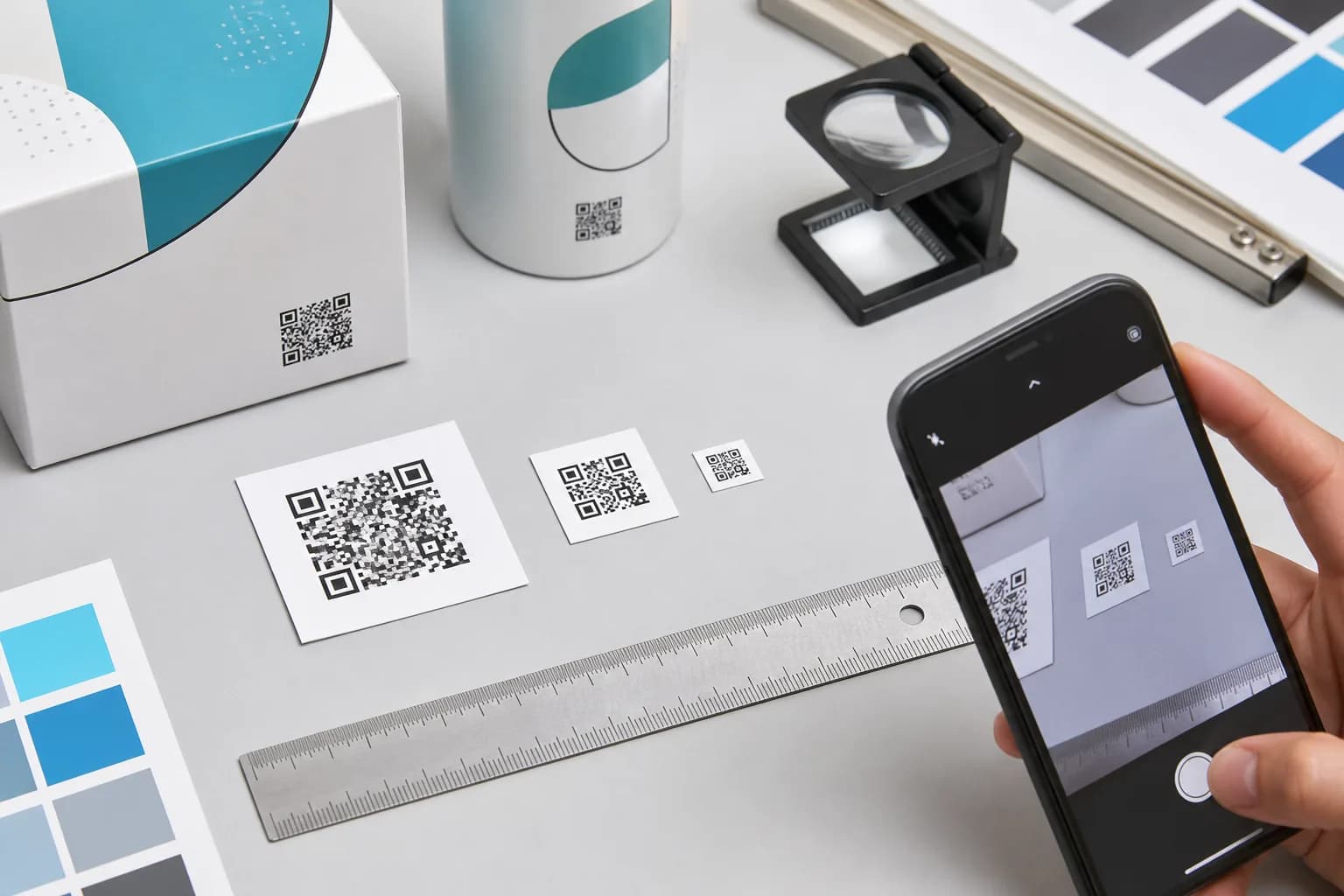
If you are asking how small can a QR code be, 2–2.5 cm (about 0.8–1 inch) is a sensible starting point for a close-range physical proof, not a universal minimum. A simple code may work smaller under controlled conditions, while a dense code on glossy or curved packaging may need much more room. Start with the actual payload in the CraftMyQR generator, because its resulting grid—not an empty placeholder—determines the detail you must preserve.
The useful answer depends on module count, quiet zone, printer resolution, surface, camera, and scanning distance. It also depends on something that fixed-size advice usually hides: two QR codes with the same outer width can offer very different detail to a camera.
To make that difference measurable, CraftMyQR ran a reproducible digital decoding experiment with three payload lengths, eight size-to-distance ratios, eight image conditions, and two independent decoders. The results below do not replace a printed phone test. They do show why QR code minimum size should be based on the actual symbol you generated rather than a generic centimeter rule.
How Small Can a QR Code Be? Start at 2–2.5 cm
Use these as practical starting points:
The 2–2.5 cm range and 10:1 distance rule are proofing heuristics, not ISO guarantees. Any QR code size selected from a generic chart still needs a proof.
- Close-range card or label: begin around 2–2.5 cm wide, including the quiet zone.
- Known maximum scan distance: begin with code width around one-tenth of that distance.
- Dense payload, difficult surface, weak light, or angled approach: enlarge beyond those starting points.
- Production approval: test the final exported file on the real material and with representative phones.
Why One QR Code Minimum Size Cannot Fit Every Code
A QR code is a grid of dark and light squares called modules. DENSO WAVE’s version reference defines Version 1 as 21 × 21 symbol modules and Version 40 as 177 × 177. Each higher version adds four modules per side.
If a Version 3 and Version 7 code are both 20 mm wide, the Version 7 pattern must fit many more modules into those same 20 mm. Its individual details are therefore smaller. A camera may see the same outer square but receive less information per module.
Payload length is one cause of that change. A concise URL generally produces a less dense code than a long address full of campaign parameters. Error correction also matters. DENSO documents four error-correction levels; higher levels add recovery data and can push a payload into a larger version.
That is why shortening the encoded data can create more scanning margin. For campaigns that need an editable destination, a managed redirect such as the workflow on the CraftMyQR Dynamic QR Code page can keep the encoded address concise. Generate the real symbol before sizing it, because not every redirect or payload lands in the same version.
CraftMyQR’s Controlled Size-and-Distance Decode Lab
Most size guides repeat the 10:1 rule and list common print dimensions. Our experiment asked a narrower question: at the same apparent QR width in a reference camera frame, how does data density change decoding margin?
Method You Can Reproduce
We generated three QR codes at error-correction level M with the required four-module quiet zone:
We modeled eight ratios between scanning distance and complete QR width: 5:1, 7.5:1, 10:1, 12.5:1, 15:1, 20:1, 25:1, and 30:1. The reference camera assumption was a 1,920-pixel-wide frame with a 65-degree horizontal field of view. For each ratio, the QR’s apparent pixel width was calculated from its angular size rather than assigned an arbitrary thumbnail size.
Each case was rendered through eight deterministic conditions: clean, JPEG quality 70, low contrast, 0.6-pixel blur, 1-pixel blur, 2-degree rotation, 30-degree horizontal foreshortening, and foreshortening plus 0.6-pixel blur.
Both jsQR 1.4.0 and ZXing 0.21.3 then attempted to decode every image. We counted a strict pass only when both decoders returned the exact original payload. The complete machine-readable results and runner are retained with this article’s production files.
| Test payload | Characters | QR version | Symbol modules | Modules including quiet zone |
|---|---|---|---|---|
| Short managed-style URL | 29 | Version 3 | 29 | 37 |
| CraftMyQR product-page URL | 43 | Version 4 | 33 | 41 |
| Long URL with UTM parameters | 119 | Version 7 | 45 | 53 |
Results: The Same Outer Width Did Not Mean the Same Margin
The table below highlights the decision boundary. “8/8” means both decoders returned the exact payload in all eight conditions.
At 10:1, all three codes passed all eight digital conditions. At 15:1, the Version 3 and Version 4 codes still passed 8/8, while the denser Version 7 code failed 0/8. The outer size-to-distance ratio was identical; the pixels available for each complete module were not.
The Version 7 result also changed sharply between 12.5:1 and 15:1. That is not proof of a universal 2.5-pixel threshold. Raster alignment, resizing, decoder behavior, lens sampling, and autofocus can move a real boundary. It is evidence that an apparently modest reduction can consume the remaining margin abruptly.
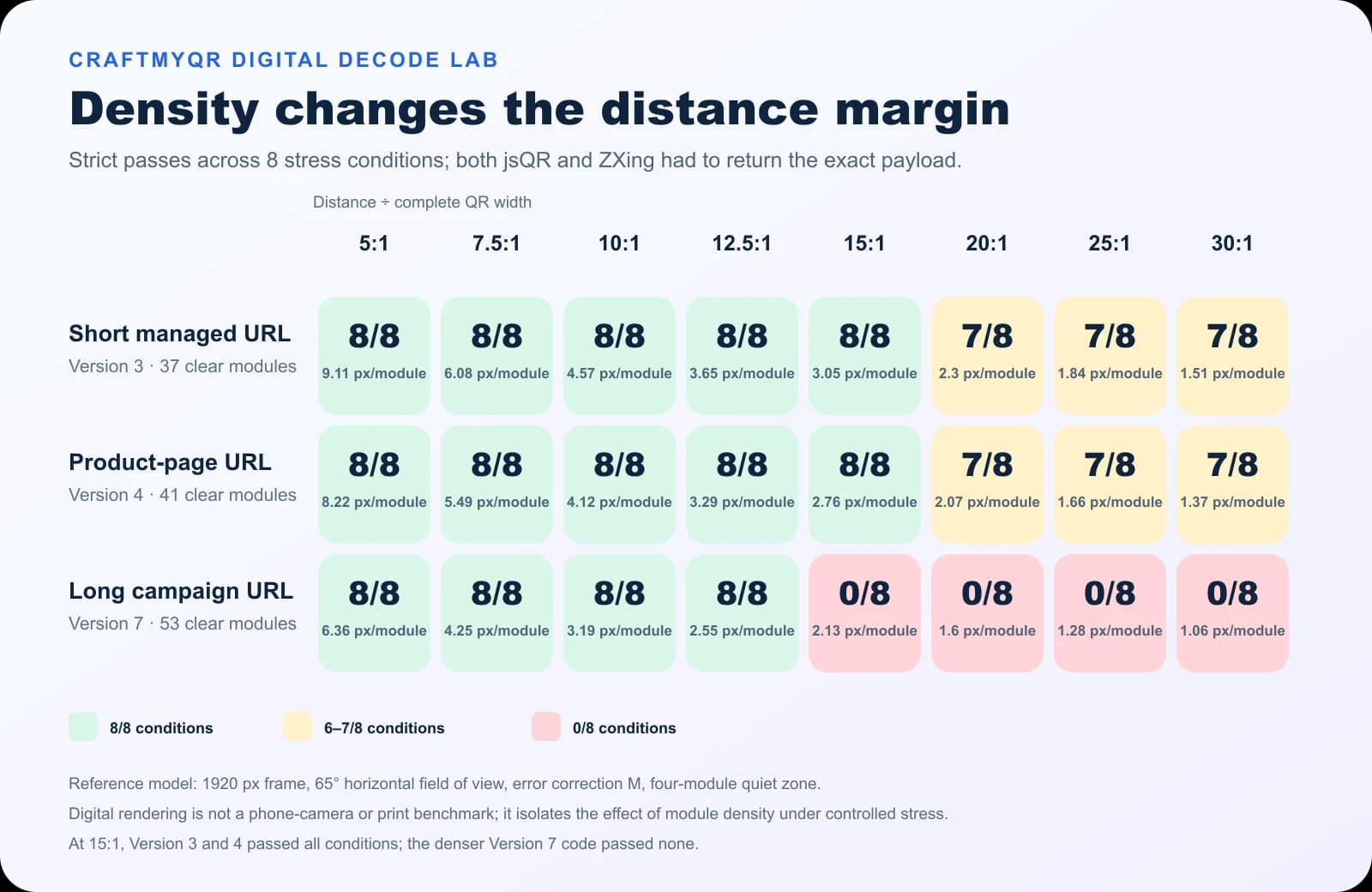
| Distance ÷ QR width | Apparent QR width | Version 3, 37 modules | Version 4, 41 modules | Version 7, 53 modules |
|---|---|---|---|---|
| 10:1 | 169 px | 4.57 px/module — 8/8 | 4.12 px/module — 8/8 | 3.19 px/module — 8/8 |
| 12.5:1 | 135 px | 3.65 px/module — 8/8 | 3.29 px/module — 8/8 | 2.55 px/module — 8/8 |
| 15:1 | 113 px | 3.05 px/module — 8/8 | 2.76 px/module — 8/8 | 2.13 px/module — 0/8 |
| 20:1 | 85 px | 2.30 px/module — 7/8 | 2.07 px/module — 7/8 | 1.60 px/module — 0/8 |
What This Experiment Adds—and What It Cannot Claim
The practical finding is simple: the 10:1 rule is safer as a layout starting point than as a promise. Before approving a small QR code, inspect the actual version or complete module count. A denser code deserves more width even when its use case and nominal scanning distance are unchanged.
This experiment does not establish phone success rates. It used rendered images and software decoders, not printed materials and physical cameras. The 1,920-pixel, 65-degree camera model is a documented reference assumption, not a universal phone specification. The stress set cannot reproduce every combination of glare, motion, autofocus, ink spread, surface curvature, or device processing. Finally, an 8/8 pass count is eight deterministic checks, not a population probability.
Those limits are why the lab result belongs beside—not in place of—a physical proof matrix.
Convert Scanning Distance into a Starting Width
The familiar 10:1 heuristic means maximum scanning distance is roughly ten times the complete QR width. The arithmetic is easy:
Starting QR width = maximum expected distance ÷ 10
For a poster meant to scan from 1.5 m, start near 15 cm wide. Then enlarge if the generated code is dense, the viewer approaches at an angle, or the environment reduces contrast. A 2 cm code scanned at 20 cm and a 10 cm code scanned at 1 m share a 10:1 ratio, but both still need a clear quiet zone and a physical test.
| Complete QR width | 10:1 distance | 12.5:1 distance | 15:1 distance |
|---|---|---|---|
| 2 cm | 20 cm | 25 cm | 30 cm |
| 5 cm | 50 cm | 62.5 cm | 75 cm |
| 10 cm | 1 m | 1.25 m | 1.5 m |
Calculate the Complete Minimum QR Code Size for Print
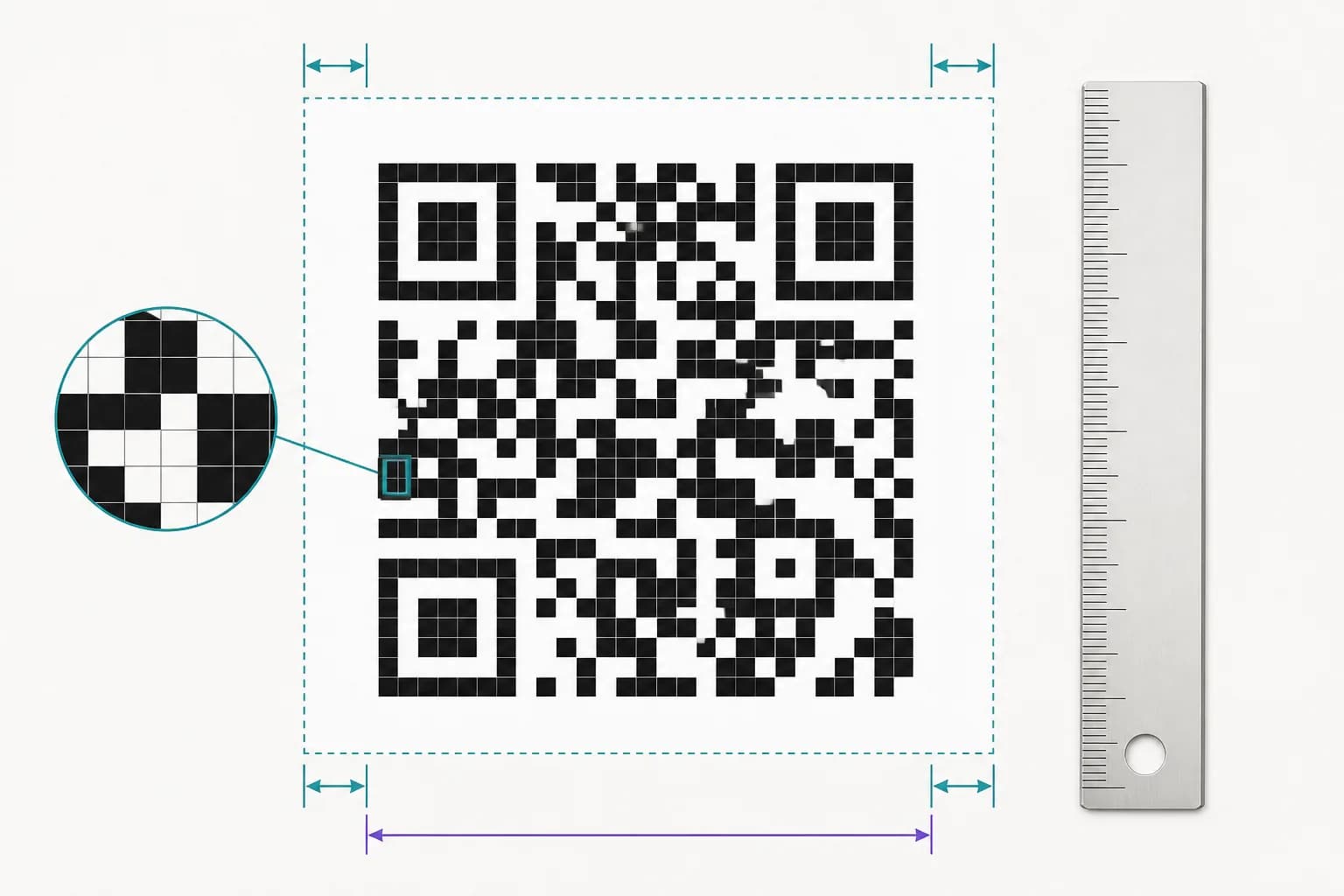
A standard QR code needs a clear margin four modules wide on every side. DENSO’s code-area guidance calls this the quiet zone. Therefore:
Total width = (symbol modules + 8) × physical module size
A Version 2 code contains 25 symbol modules per side. At a 0.42 mm module size, its full footprint is (25 + 8) × 0.42 mm = 13.86 mm.
That equation describes geometry, not reliability. Text, a border, a photo, or a trim line inside the quiet zone can still interfere. Measure the entire exported asset, including its margin, rather than only the dark grid. This calculation gives the geometric minimum QR code size for print under the chosen module assumption, not a guarantee for a phone.
Check the Printer’s Dot Budget
DENSO recommends at least four printer dots per module for stable operation in its module-size guidance. You can turn that into a production check:
Minimum module size = 4 ÷ printer DPI × 25.4 mm
At 300 dpi, four dots occupy about 0.339 mm. A Version 3 code with 37 complete modules would therefore need about 37 × 0.339 = 12.54 mm merely to preserve that four-dot geometry. It may still need to be larger for a phone, material, distance, or difficult finish.
DENSO’s FAQ also describes a Version 1 dark grid using 0.17 mm modules, or 3.57 mm across. That example assumes suitable high-resolution printing and reading equipment. Once the four-module quiet zone is included, the full footprint is about 4.93 mm. It is engineering context, not a consumer-smartphone recommendation.
Keep Digital Modules on Whole Pixels
For a crisp raster source, render each module as a whole number of pixels. A Version 1 code with a four-module quiet zone and four pixels per module needs (21 + 8) × 4 = 116 pixels across.
SVG avoids module-edge resampling while artwork is scaled, but the displayed or printed size still matters. Browser zoom, export compression, screenshots, and production software can rasterize a vector later, so inspect the final deliverable.
Practical QR Code Size Starting Points by Use Case
These are conservative proof sizes for a reasonably concise, high-contrast code on a favorable surface. They are not guarantees.
A business card QR code can begin near the low end because a reader holds it close. A bottle label may need more space because curvature hides part of the grid and varnish adds glare. Fabric, engraving, transparent stock, and absorbent paper can round or close the smallest features.
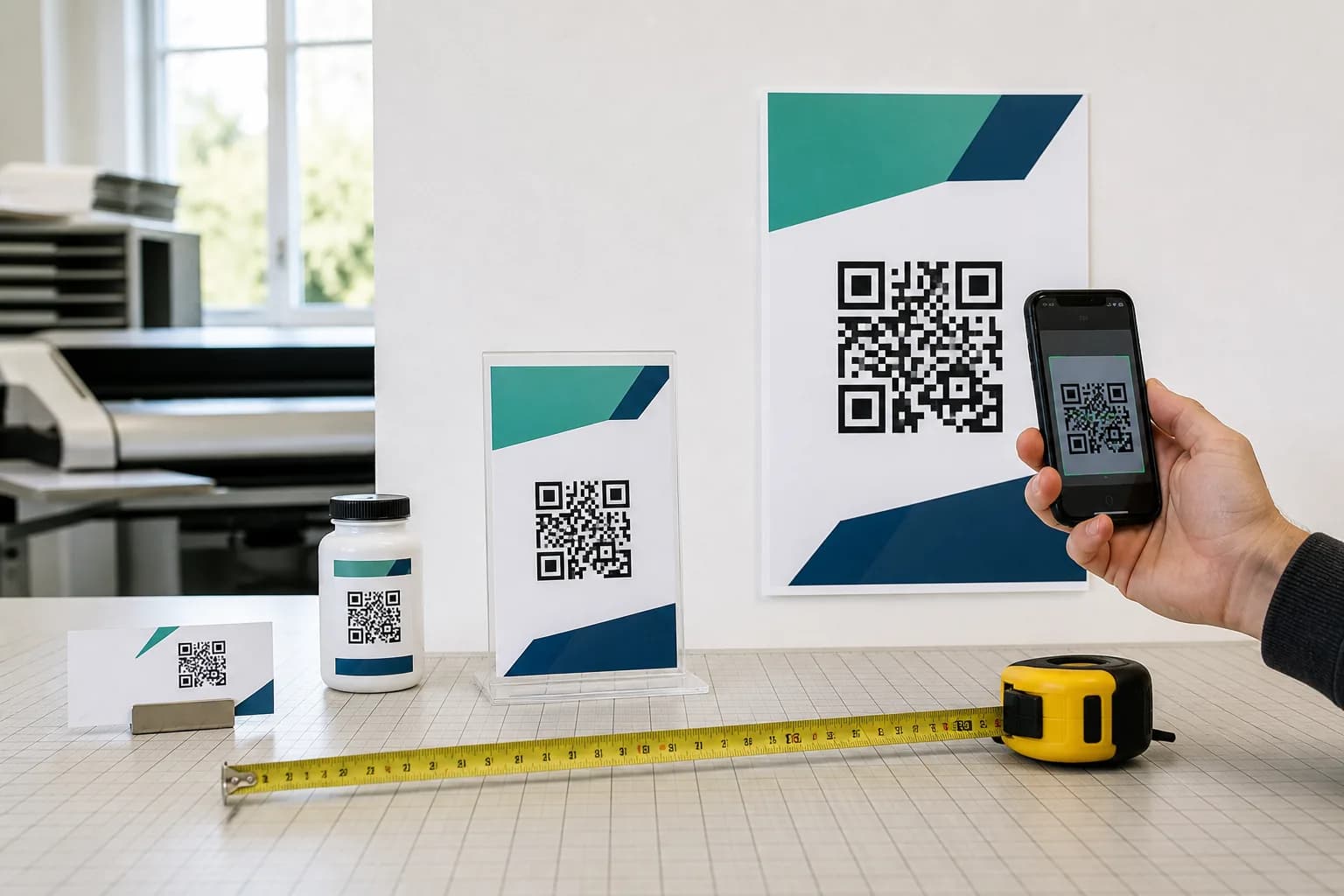
| Use case | Likely viewing distance | Starting proof width |
|---|---|---|
| Business card or handheld label | 20–30 cm | 2–3 cm |
| Menu or table card | 30–50 cm | 3–5 cm |
| Counter sign | 50–100 cm | 5–10 cm |
| Wall poster | 1–2 m | 10–20 cm |
| Window sign viewed from outside | 2–3 m | 20–30 cm |
A Better Physical Proof Protocol
The digital lab isolates variables; production testing deliberately puts them back. Make a small proof sheet using the final encoded data and artwork:
This log makes approval reproducible. “It worked once on my phone” does not reveal the distance, device, or failure margin. The defensible QR code minimum size is the smallest candidate that keeps an acceptable margin across the conditions you recorded.
- Export the intended size plus one smaller and one larger version.
- Produce them with the real printer, stock, ink, finish, and placement.
- Test at the expected maximum distance and slightly farther away.
- Repeat straight on, off-axis, in bright light, in ordinary indoor light, and under likely glare.
- Use representative newer and older Android and iPhone devices with their normal camera apps.
- Record the file, physical width, device, distance, angle, light, and whether recognition was immediate.
- Reject a size that requires repeated aiming, unusual closeness, or a specialist app.
- Repeat the proof after changing payload, logo, export, printer, material, finish, or placement.
Make a Small QR Code More Dependable
When space is limited, improve the controllable variables before shrinking further:
The CraftMyQR generator helps control the source: you can generate the intended payload, customize color or a logo carefully, preview it, and download PNG, SVG, or PDF. For production considerations beyond size, use the QR codes in print guide.
- Encode less data and remove avoidable URL parameters.
- Keep the QR square; never stretch one axis.
- Preserve the four-module quiet zone.
- Use dark modules on a plain, light background.
- Limit gradients, unusual module shapes, and oversized logos.
- Export SVG or print-ready PDF where the workflow supports vectors; otherwise use a sufficiently large PNG.
- Avoid folds, seams, severe curves, reflections, and transparent backgrounds.
- Add physical size when any condition is uncertain.
Conclusion: Choose a Tested Minimum, Not a Magic Number
So, if the final question is how small can a QR code be, specialist equipment can resolve very small symbols, but a public phone workflow needs margin. Begin around 2–2.5 cm for a close-range proof or use 10:1 as a distance-based starting point. Then inspect the generated module count, protect the quiet zone, check printer dots, and test the finished object.
Our controlled lab supplies the missing reason behind that advice: at the same apparent outer width, a Version 7 code received fewer pixels per module and lost decoding margin much earlier than Version 3 and Version 4 codes. Use CraftMyQR to prepare a clean master, but let a documented physical proof establish the final minimum QR code size.
Frequently Asked Questions
What is the minimum QR code size for a business card?
Start testing around 2–2.5 cm wide for a concise code with its complete quiet zone. Card stock, finish, payload density, phone, and layout may require more space. Always scan the final printed card rather than relying on an enlarged design preview.
Can a QR code be smaller than 2 cm?
Yes. A simple code may scan below 2 cm with suitable printing, lighting, distance, and camera conditions. However, that result does not make the size dependable for public phone use. Smaller codes offer less margin when devices, surfaces, and viewing conditions change.
Does the quiet zone count in the QR code minimum size?
Yes. A standard QR code needs a clear margin four modules wide on every side, adding eight modules to the complete width. Cropping that space does not safely enlarge the data area; it removes a feature scanners use to separate the symbol from its surroundings.
How does scanning distance affect QR code size?
Greater distance requires a larger code so the camera can resolve individual modules. A common starting heuristic makes code width about one-tenth of the maximum scan distance. Dense symbols may need more width, so verify the actual code at the final placement.
What did the CraftMyQR size-and-distance lab find?
At a 15:1 distance-to-width ratio, Version 3 and Version 4 codes passed all eight digital conditions, while the denser Version 7 code passed none. This controlled software test shows a density effect; it does not predict a universal phone success rate.
What is the smallest QR code size in pixels?
There is no universal pixel minimum because module count, scaling, camera distance, and device resolution differ. Render modules at whole-pixel multiples with the quiet zone intact. For example, Version 1 at four pixels per module requires a 116-pixel complete grid.
Does higher error correction let me print a smaller QR code?
Not necessarily. Higher error correction restores more damaged data, but its overhead can increase the required version and module count. At the same physical width, that makes individual modules smaller. Choose correction for the environment, then calculate and test the resulting symbol.
Is SVG better for a small QR code?
SVG preserves sharp module edges while artwork is scaled, making it useful in vector-compatible workflows. A sufficiently large PNG can also work. Neither format compensates for an undersized print, weak contrast, missing quiet zone, difficult surface, or excessive scanning distance.
Need to create a QR code now?
Create and preview your QR code with our free generator. For long-term materials like menus, packaging and posters, consider upgrading to dynamic QR codes.